

The Best MindManager Alternatives
Details |
Tool |
|---|---|
Starts at: €7.99/mo
|
Infinity MapsBest Alternative for Deep Knowledge Management & Research
We chose Infinity Maps because it offers a basically different approach to visual thinking through infinitely zoomable, nested knowledge maps. These are like whiteboards but structured, like mind maps but scalable, and are perfect for when traditional paradigms become limiting. |
Starts at: $5/mo
|
Microsoft VisioBest Alternative for Enterprise Diagramming in Microsoft Ecosystem
Visio provides comprehensive diagramming with native Microsoft 365 integration, making it ideal for enterprises already invested in the Microsoft stack. |
Starts at: $6.50/mo
|
MindMeisterBest Alternative for Simple Team Collaboration
MindMeister offers browser-first simplicity with real-time collaboration, making it perfect for small teams who need quick visual brainstorming without complex features. |
Starts at: $13/mo
|
AyoaBest Alternative for Integrated Task Management
Ayoa seamlessly bridges mind mapping and task management, ideal for teams that need their brainstorming to evolve into actionable project workflows. |
Starts at: $8/mo
|
MiroBest Alternative for Versatile Visual Collaboration
Miro offers an infinite canvas supporting multiple visual formats beyond mind maps, perfect for teams needing comprehensive collaboration tools. |
Starts at: Free
|
XMindBest Alternative for Budget-Conscious Users
XMind delivers professional mind mapping with a functional free tier and affordable pricing, making it accessible for individuals and small teams. |
Starts at: $8.99/mo
|
HeptabaseBest Alternative for Academic Research & PDF Management
Heptabase excels at PDF annotation and visual learning, designed specifically for academics and researchers working with dense source materials. |
What is MindManager?
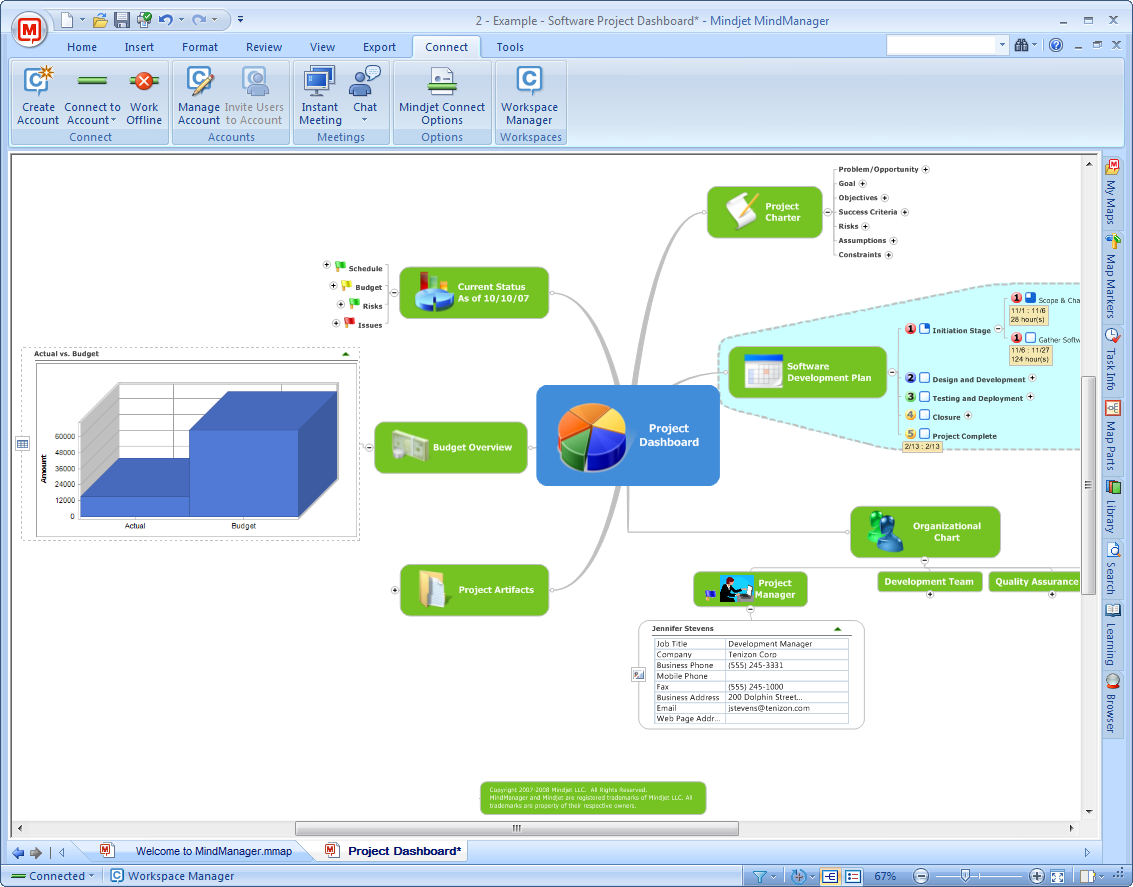 MindManager is a commercial software application designed for visualizing information through mind maps, flowcharts, concept maps, and other diagrams.
Developed by Mindjet and now owned by Alludo (formerly Corel Corporation), it serves as a versatile tool for brainstorming, project management, knowledge management, and strategic planning for both individuals and teams.
Its key features include:
MindManager is a commercial software application designed for visualizing information through mind maps, flowcharts, concept maps, and other diagrams.
Developed by Mindjet and now owned by Alludo (formerly Corel Corporation), it serves as a versatile tool for brainstorming, project management, knowledge management, and strategic planning for both individuals and teams.
Its key features include:
- Multiple diagram types including mind maps, flowcharts, Gantt charts, and timelines
- Deep Microsoft Office integration (Word, Excel, PowerPoint, Outlook, Teams)
- Advanced project management with task tracking and resource allocation
- Data integration with Excel Data Mapper for visualizing spreadsheet data
- Real-time collaboration and co-editing capabilities
- SharePoint integration for enterprise content management
- Over 8,000 app integrations through Zapier
How We Curated Our List of MindManager Alternatives
After thoroughly analyzing MindManager and researching the visual thinking market, we identified that users often seek alternatives when they need:- A \basically different approach to organizing complex, interconnected information that doesn’t force choosing between paradigms
- Simpler, more affordable solutions for basic mind mapping needs
- Better integration with specific ecosystems (like Microsoft or Google)
- Specialized features for academic research and knowledge management
- More flexible visual collaboration beyond traditional mind maps
- Seamless transition from brainstorming to task execution
- Budget-friendly options without sacrificing essential features
| ❗DISCLAIMER: We aren’t covering every mind mapping tool on the market! Our focus is on highlighting the best alternatives that address specific limitations or use cases where MindManager might not be the optimal choice. |
|---|
1. Infinity Maps — Best Alternative for Deep Knowledge Management & Research
 We developed Infinity Maps based on the award-winning iMapping method created through scientific research at the FZI Research Center.
Our visual thinking and knowledge management tool takes an entirely different approach from traditional mind mapping. Think of it as “like whiteboards, but structured; like mind maps, but scalable; like Google Maps, but for ideas and corporate knowledge.”
Our platform combines the best aspects of whiteboards, wikis, and mind maps into an infinitely zoomable canvas where information lives in nested “cards” that can be organized to unlimited depth.
Key features include:
We developed Infinity Maps based on the award-winning iMapping method created through scientific research at the FZI Research Center.
Our visual thinking and knowledge management tool takes an entirely different approach from traditional mind mapping. Think of it as “like whiteboards, but structured; like mind maps, but scalable; like Google Maps, but for ideas and corporate knowledge.”
Our platform combines the best aspects of whiteboards, wikis, and mind maps into an infinitely zoomable canvas where information lives in nested “cards” that can be organized to unlimited depth.
Key features include:
- Infinitely zoomable canvas: Navigate seamlessly from planetary-level overview to micrometer detail with a zoom factor of 1:1,000,000,000,000
- Nested card architecture: Create hierarchies over 100 levels deep without losing context
- Toggleable connection display: Show all connections or only those for selected cards to prevent visual overwhelm
- Visual-spatial organization: Leverage natural spatial memory for better information retention
- Real-time collaboration: Work together on the same knowledge map simultaneously
- Flexible deployment: Available through web browsers with local installation option via lifetime license
- Overview layer capability: Link to documents in SharePoint, Jira, or other platforms without forcing migration
Why Choose Infinity Maps Over MindManager for Deep Knowledge Management
While MindManager excels at business project management and Microsoft integration, we provide a novel approach to handling complex knowledge that makes our platform particularly well-suited for research and deep thinking work.Paradigm Fusion: Don’t Choose, Combine
Traditional tools force you to choose a single paradigm. With mind maps, you get hierarchy but struggle to show complex interrelations. With whiteboards, you get creative freedom but lose structure at scale. With concept maps, you can show connections but lack deep hierarchy. We’re the only platform that doesn’t make you choose.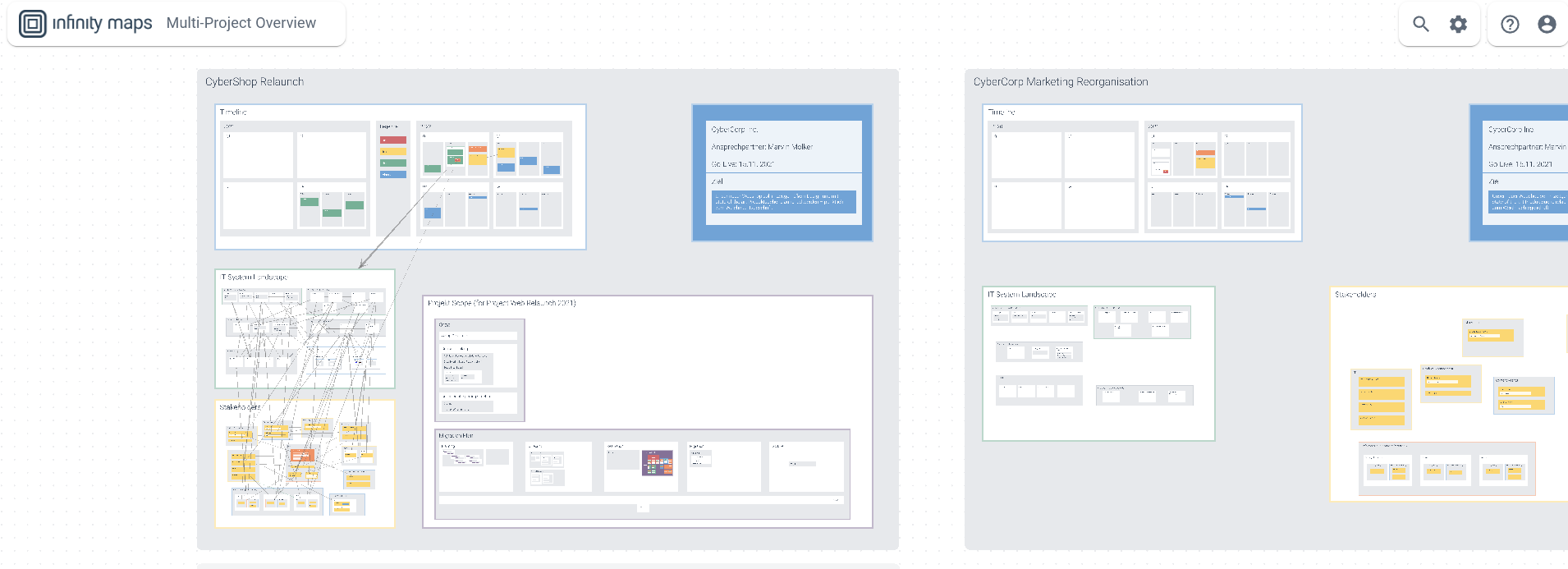 Our infinitely zoomable canvas with nested cards allows you to maintain mind map-style hierarchy while showing concept map interrelations, all with whiteboard-style creative freedom. Where MindManager uses a tree structure with branches that can become unwieldy as complexity grows, we allow you to zoom into any card to reveal an entirely new level of detail, with that card becoming its own canvas containing more cards.
What makes this particularly useful is our toggleable connection display. You can choose to show all connections at once, or only display connections for cards you’re currently selecting or hovering over. This on-demand visibility prevents the visual clutter that occurs when trying to show hundreds of interrelations in traditional tools.
⚡ Infinity Maps in Action: Imagine researching climate change. Your top-level map shows major categories like causes, effects, and solutions. Zoom into “effects” and you see subcategories for different regions. Zoom into “Arctic” and you find detailed research notes, linked studies, and data visualizations.
Each level maintains its own spatial organization, and you can have thousands of cards without losing the ability to see the overall structure. Toggle connections on to see how Arctic changes relate to global weather patterns, then toggle them off to focus on the content itself.
Our infinitely zoomable canvas with nested cards allows you to maintain mind map-style hierarchy while showing concept map interrelations, all with whiteboard-style creative freedom. Where MindManager uses a tree structure with branches that can become unwieldy as complexity grows, we allow you to zoom into any card to reveal an entirely new level of detail, with that card becoming its own canvas containing more cards.
What makes this particularly useful is our toggleable connection display. You can choose to show all connections at once, or only display connections for cards you’re currently selecting or hovering over. This on-demand visibility prevents the visual clutter that occurs when trying to show hundreds of interrelations in traditional tools.
⚡ Infinity Maps in Action: Imagine researching climate change. Your top-level map shows major categories like causes, effects, and solutions. Zoom into “effects” and you see subcategories for different regions. Zoom into “Arctic” and you find detailed research notes, linked studies, and data visualizations.
Each level maintains its own spatial organization, and you can have thousands of cards without losing the ability to see the overall structure. Toggle connections on to see how Arctic changes relate to global weather patterns, then toggle them off to focus on the content itself.
Built for Knowledge Workers, Starting with Personal Use
We created our platform for researchers by researchers, and this shows in our feature set tailored specifically for knowledge work. Unlike MindManager’s business and project management focus, we provide tools designed to be a cognitive tool that helps knowledge workers get their stuff done for themselves first. The platform supports multiple content types within cards including text, images, and files, allowing you to keep all research materials in context. But we also recognize you don’t need to migrate everything – our overview layer approach means you can leave documents in SharePoint, Jira, or other platforms and use our maps to create a visual navigation system across your existing tools.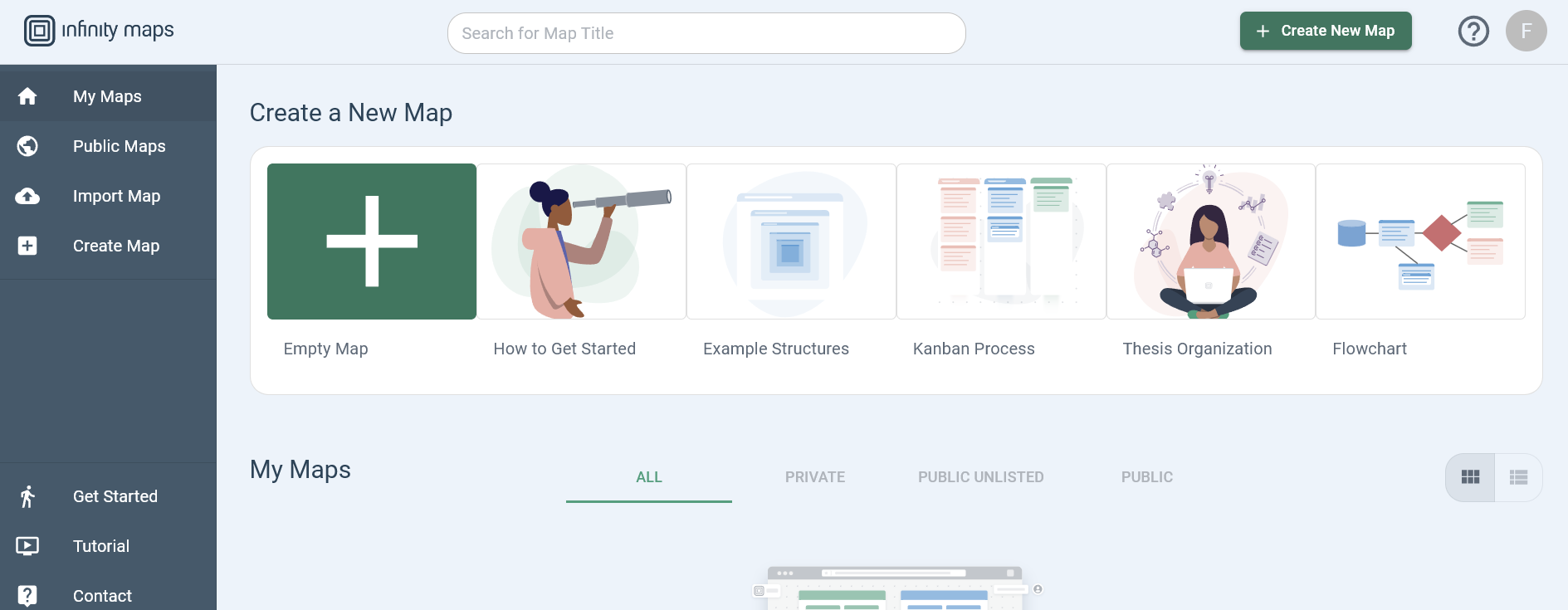 Once you’re using it personally to manage information chaos and see connections, sharing with teams or clients becomes a natural next step. Maps can be made public or kept private with controlled access, and real-time collaboration allows multiple users to work together when needed.
⚡ Infinity Maps in Action: Start with simple note-taking that grows into your personal knowledge base. As a PhD student, organize your entire dissertation research in one map. The top level shows chapters, zooming into each reveals section outlines, and drilling deeper shows individual arguments with supporting evidence. Link out to PDFs stored in your university system rather than duplicating everything.
This becomes your “starting page for your brain” – one infinite knowledge space that scales with your research.
Once you’re using it personally to manage information chaos and see connections, sharing with teams or clients becomes a natural next step. Maps can be made public or kept private with controlled access, and real-time collaboration allows multiple users to work together when needed.
⚡ Infinity Maps in Action: Start with simple note-taking that grows into your personal knowledge base. As a PhD student, organize your entire dissertation research in one map. The top level shows chapters, zooming into each reveals section outlines, and drilling deeper shows individual arguments with supporting evidence. Link out to PDFs stored in your university system rather than duplicating everything.
This becomes your “starting page for your brain” – one infinite knowledge space that scales with your research.
Accessible Pricing with True Free Tier
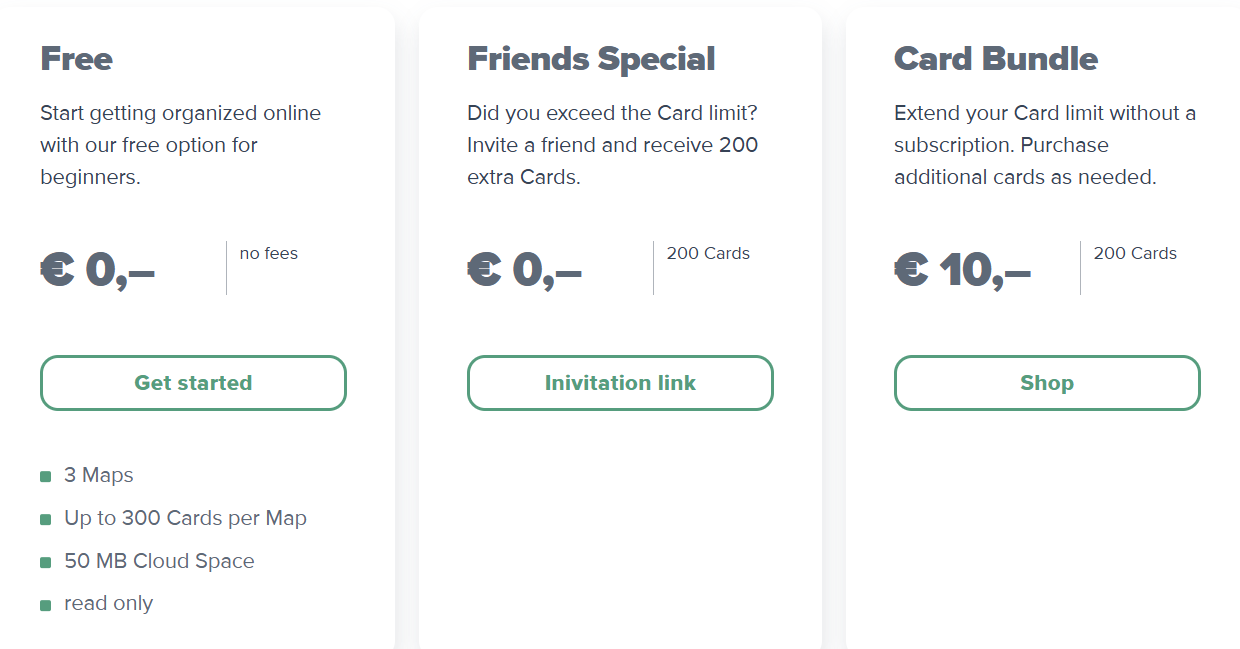
While MindManager starts at $99/year for the web version and $179/year for desktop access, we offer more accessible pricing that scales with your needs. Our free plan provides 3 maps with 300 cards each – and importantly, this is a free tier with no time limit and no credit card required. You can use it indefinitely for personal projects or evaluation. The Pro plan at €7.99/month (approximately $8.50) offers 10 maps with 1,500 cards each, while the Unlimited plan at €14.99/month (approximately $16) removes all restrictions. Both paid plans include features like real-time collaboration and cloud storage. For academics and non-profits, we offer special discounted rates upon request. We also offer lifetime licenses starting at €399 for those who prefer one-time purchases over subscriptions, including local installation options for teams with on-premise requirements.Infinity Maps Pricing
We offer a straightforward tiered pricing model designed to grow with your needs:- Free Plan: €0/month includes 3 maps, up to 300 cards per map, 50MB cloud storage – no credit card required, use indefinitely
- Pro Plan: €7.99/month or €79.99/year includes 10 maps, 1,500 cards per map, 500MB storage, template collection
- Unlimited Plan: €14.99/month or €149.99/year includes unlimited maps and cards, 5GB storage, early feature access, premium support
- Lifetime License: Starting from €399 (one-time payment) for Pro or Unlimited features with local installation option
- Enterprise & Education: Custom pricing with SSO/SAML, dedicated success manager, and deployment options
Who Should Use Infinity Maps?
Choose Infinity Maps if:- You’re hitting the limits of traditional mind maps – when hundreds of sub-branches make navigation difficult, when you need to show contradictions and supporting evidence, or when adding interrelations creates visual chaos that defeats the purpose of visualization
- You value spatial organization and visual thinking for knowledge retention, and want a tool designed as a cognitive aid for deep knowledge work, helping you get overview over information chaos and discover connections you might otherwise miss
- You’re ready to experience a shift in how you organize information, moving from choosing between structure OR freedom to having both – starting with personal knowledge management that can seamlessly scale to team collaboration and even corporate knowledge bases
2. Microsoft Visio — Best Alternative for Enterprise Diagramming in Microsoft Ecosystem
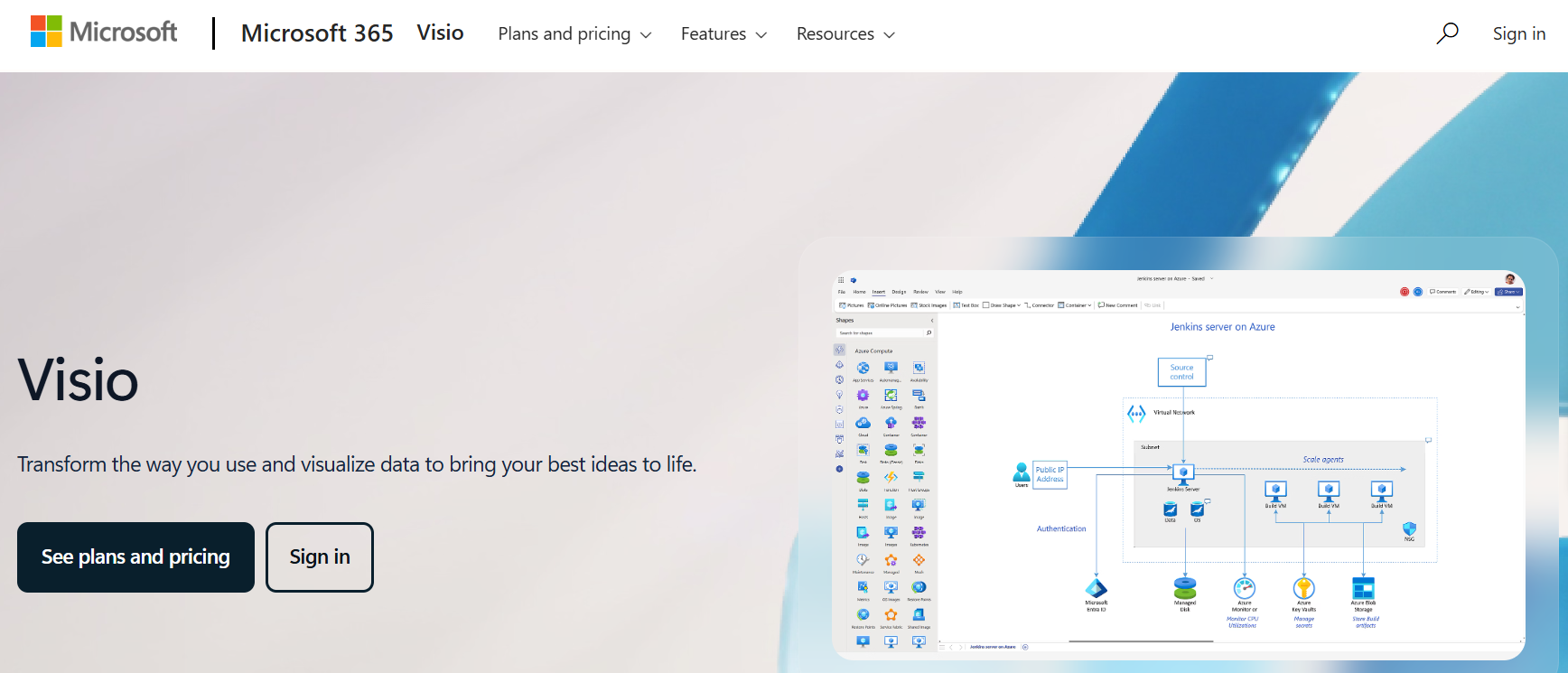 Microsoft Visio is an enterprise diagramming and vector graphics application that serves as a comprehensive alternative for organizations deeply embedded in the Microsoft 365 ecosystem.
While MindManager offers mind mapping with Microsoft integration, Visio provides purpose-built diagramming with native Microsoft connectivity.
Its key capabilities include:
Microsoft Visio is an enterprise diagramming and vector graphics application that serves as a comprehensive alternative for organizations deeply embedded in the Microsoft 365 ecosystem.
While MindManager offers mind mapping with Microsoft integration, Visio provides purpose-built diagramming with native Microsoft connectivity.
Its key capabilities include:
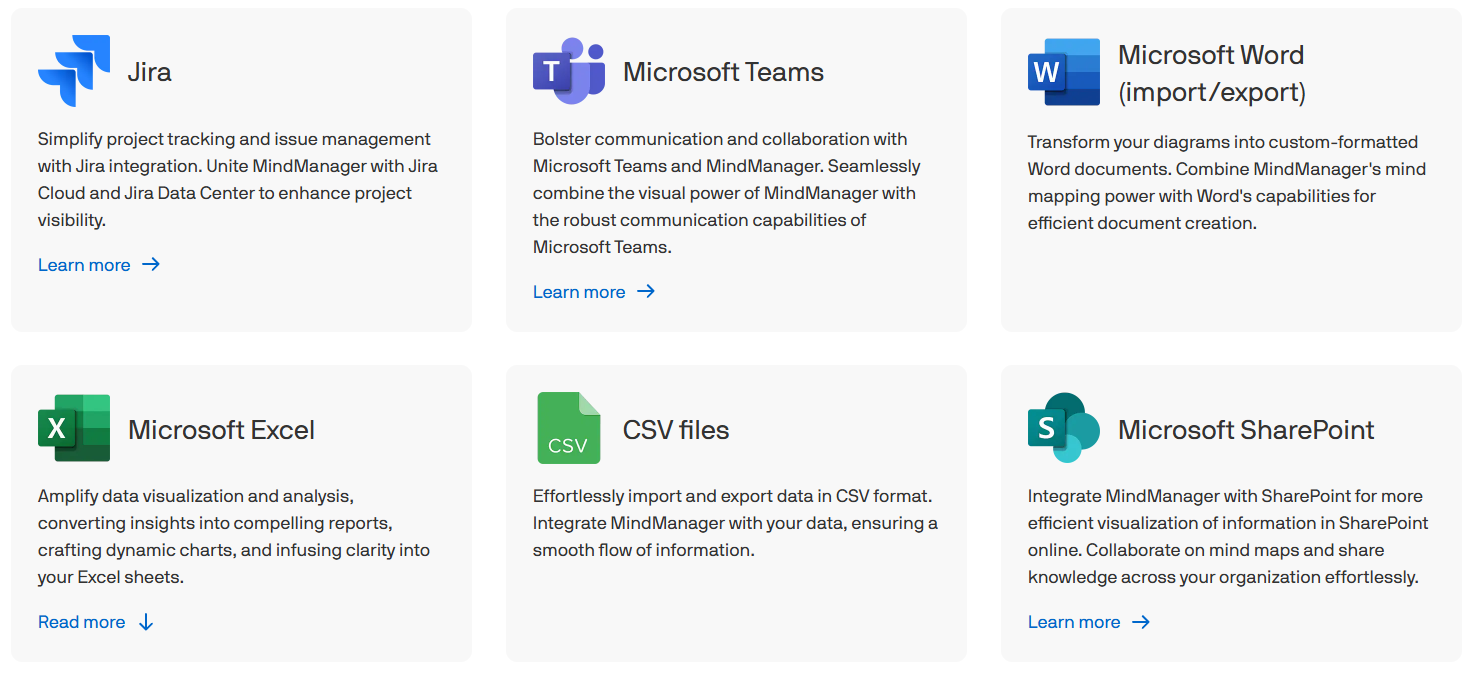
- Native Microsoft 365 integration with Excel, PowerPoint, Word, Teams, and SharePoint
- Data-linked diagrams connecting to live data sources
- Over 250,000 shapes and industry-specific stencils
- Support for industry standards including BPMN 2.0, UML 2.5, and IEEE
- Multiple plan options from web-only to full desktop versions
- Enterprise security with SSO/SAML and compliance certifications
Why Choose Microsoft Visio Over MindManager for Enterprise Diagramming
Visio stands out from MindManager in three critical areas for enterprise users:- Deep Microsoft 365 Integration
- Data-Driven Dynamic Diagrams
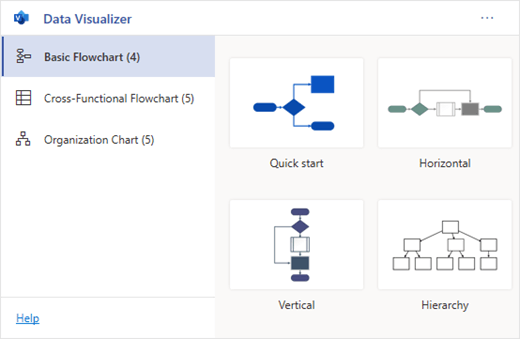 Source: Microsoft Visio
- Flexible Enterprise Licensing
Microsoft Visio Pricing
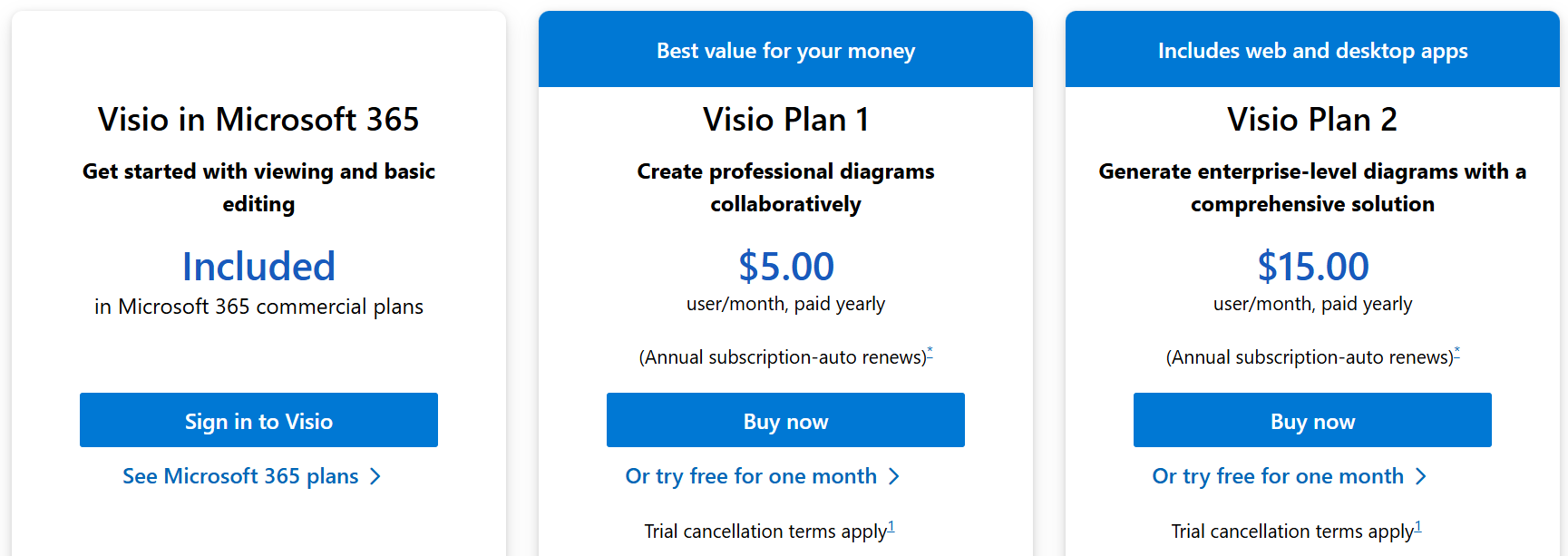
Visio offers flexible subscription and perpetual license options:- Visio in Microsoft 365: Included free with commercial Microsoft 365 subscriptions for basic viewing and editing
- Visio Plan 1: $5/user/month for web-only access with thousands of shapes and templates
- Visio Plan 2: $15/user/month adds desktop application, 250,000+ shapes, and data connectivity
- Visio Standard 2024: $309.99 one-time purchase for basic desktop features
- Visio Professional 2024: $579.99 one-time purchase with full features including data linking
Who Should Use Microsoft Visio?
Choose Microsoft Visio if:- Your organization has standardized on Microsoft 365 and you need diagramming that integrates natively with your existing identity management, security policies, and productivity tools without introducing third-party software complexity
- You require diagrams connected to live business data from Excel, SQL Server, or SharePoint that update on refresh intervals, particularly for operational dashboards, network monitoring, or data-driven process documentation
- Your procurement team prefers working with Microsoft as an established enterprise vendor with clear SLAs, enterprise support contracts, and comprehensive compliance certifications including GDPR, HIPAA, and SOC 2
3. MindMeister — Best Alternative for Simple Team Collaboration
 MindMeister is a cloud-based collaborative mind mapping tool that serves as an alternative for teams seeking browser-first simplicity over MindManager’s desktop complexity.
Founded in 2007, it focuses on making mind mapping immediately accessible to all team members regardless of technical expertise.
Key capabilities include:
MindMeister is a cloud-based collaborative mind mapping tool that serves as an alternative for teams seeking browser-first simplicity over MindManager’s desktop complexity.
Founded in 2007, it focuses on making mind mapping immediately accessible to all team members regardless of technical expertise.
Key capabilities include:
- Real-time collaborative editing with chat and commenting
- Built-in presentation mode for instant slideshows
- Native MeisterTask integration for task management
- Cross-platform access via web and mobile apps
- Intuitive keyboard shortcuts and drag-drop interface
- Version history with restore capabilities
Why Choose MindMeister Over MindManager for Simple Collaboration
MindMeister differentiates itself from MindManager in three key ways:- Five-Minute Onboarding
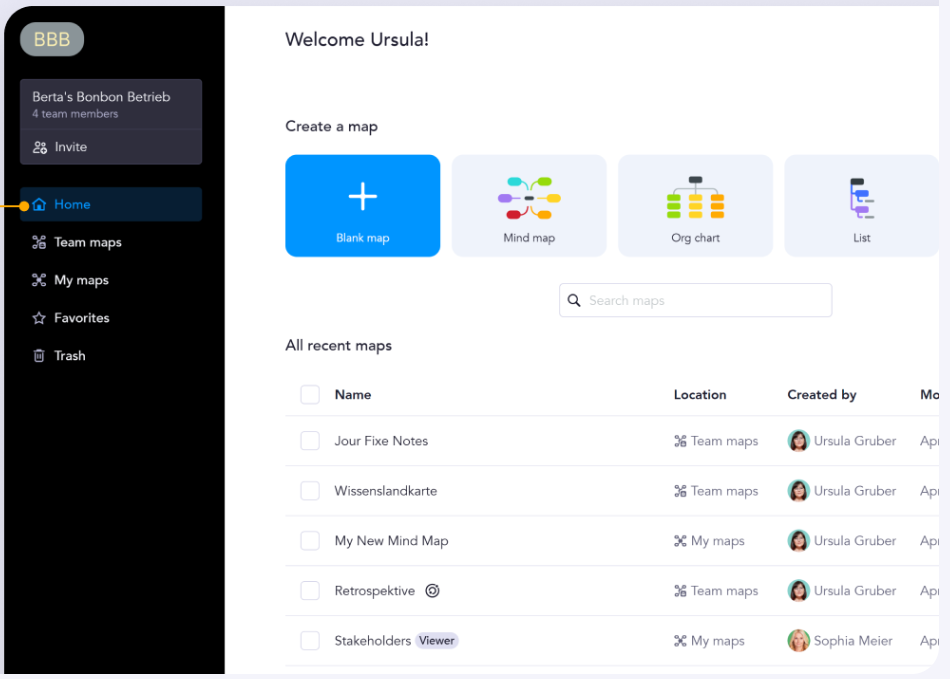 Source: MindMeister
- Integrated Presentation Mode

- MeisterTask Workflow Integration
MindMeister Pricing
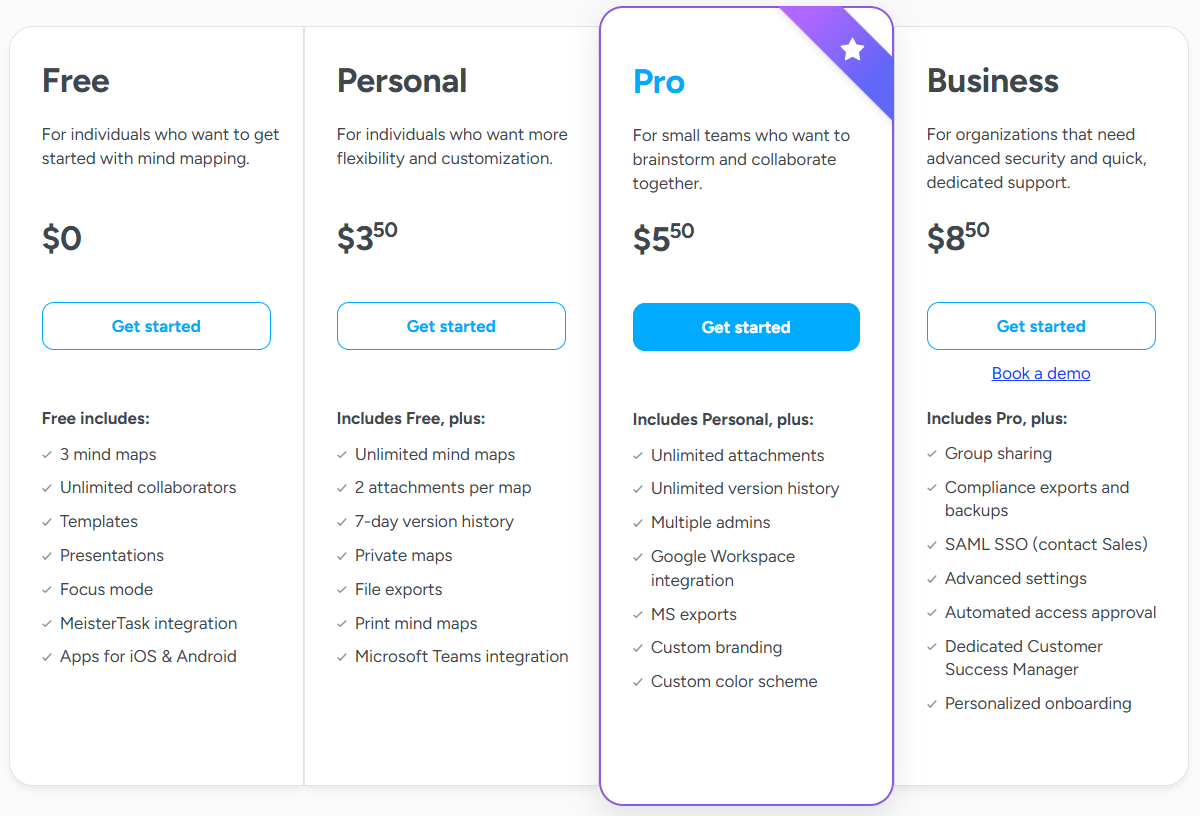
MindMeister uses per-user subscription pricing with a 22% discount for annual billing:- Free (Basic): Permanently free with 3 mind maps total, unlimited collaborators
- Personal: $3.50/user/month with unlimited maps, 7-day history, basic exports
- Pro: $5.50/user/month adds unlimited attachments, full version history, Office exports
- Business: $8.50/user/month includes group sharing, SSO, dedicated success manager
Who Should Use MindMeister?
Choose MindMeister if:- Your team needs quick onboarding without learning complex features, especially when members have varying technical skills and you need everyone contributing within their first week
- You regularly present mind maps to stakeholders and require built-in slideshow functionality with professional transitions rather than exporting static images or managing separate presentation software
- Your workflow involves distinct brainstorming and execution phases, and you need seamless delivery through MeisterTask integration for maintaining strategic oversight while tracking daily work
4. Ayoa — Best Alternative for Integrated Task Management
 Ayoa is an all-in-one work management platform that seamlessly bridges mind mapping and task execution.
Ayoa is designed for maps to evolve directly into actionable workflows within the same environment, taking a different approach than MindManager’s integrated but distinct view modes.
Key capabilities include:
Ayoa is an all-in-one work management platform that seamlessly bridges mind mapping and task execution.
Ayoa is designed for maps to evolve directly into actionable workflows within the same environment, taking a different approach than MindManager’s integrated but distinct view modes.
Key capabilities include:
- Multiple mind map styles (Organic, Speed, Radial, Capture views)
- Native task management with Kanban, Canvas, and Gantt views
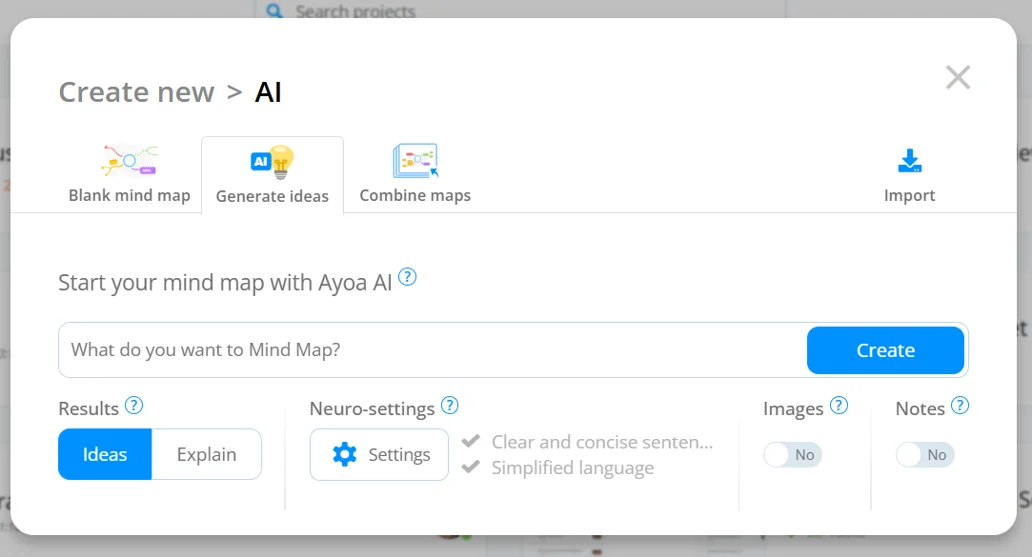
- AI-powered brainstorming assistance
- Neuro-inclusive design for ADHD, dyslexia, and autism support
- Real-time collaboration with integrated chat and video
- Cross-platform availability on web, desktop, and mobile
Why Choose Ayoa Over MindManager for Task Integration
Ayoa distinguishes itself from MindManager through three core advantages:- Seamless Task Transformation
 Source: Ayoa
- Neuro-Inclusive Accessibility
- AI-Powered Creative Assistance
 Source: Ayoa
🏅 NOTE: We considered ClickUp for its project management with whiteboarding, and Miro for collaborative whiteboarding.
However, Ayoa offers particularly seamless mind mapping-to-task management integration for teams needing to transform brainstorming into structured workflows.
Source: Ayoa
🏅 NOTE: We considered ClickUp for its project management with whiteboarding, and Miro for collaborative whiteboarding.
However, Ayoa offers particularly seamless mind mapping-to-task management integration for teams needing to transform brainstorming into structured workflows.
Ayoa Pricing
Ayoa offers simple, all-inclusive pricing:- Monthly Plan: $17/user/month with all features
- Annual Plan: $13/user/month (saves 23%)
- 2-Year Plan: $9.15/user/month (saves 46%)
 All paid plans include comprehensive features including AI capabilities, collaboration tools, mobile apps, integrations, and neuro-inclusive features. The exact limits on maps and cards in paid plans vary by subscription level.
Who Should Use Ayoa?
Choose Ayoa if:- Your team struggles with the brainstorm-to-execution gap where productive mapping sessions fail to translate into clear assignments and deadlines, and you need native integration between visual planning and task tracking
- You need to support neurodivergent team members with intentional design features including customizable visual settings, multiple organizational views, and DSA-approved accessibility accommodations
- You want AI acceleration for brainstorming and planning, particularly for generating ideas and overcoming creative blocks with intelligent assistance
5. Miro — Best Alternative for Versatile Visual Collaboration
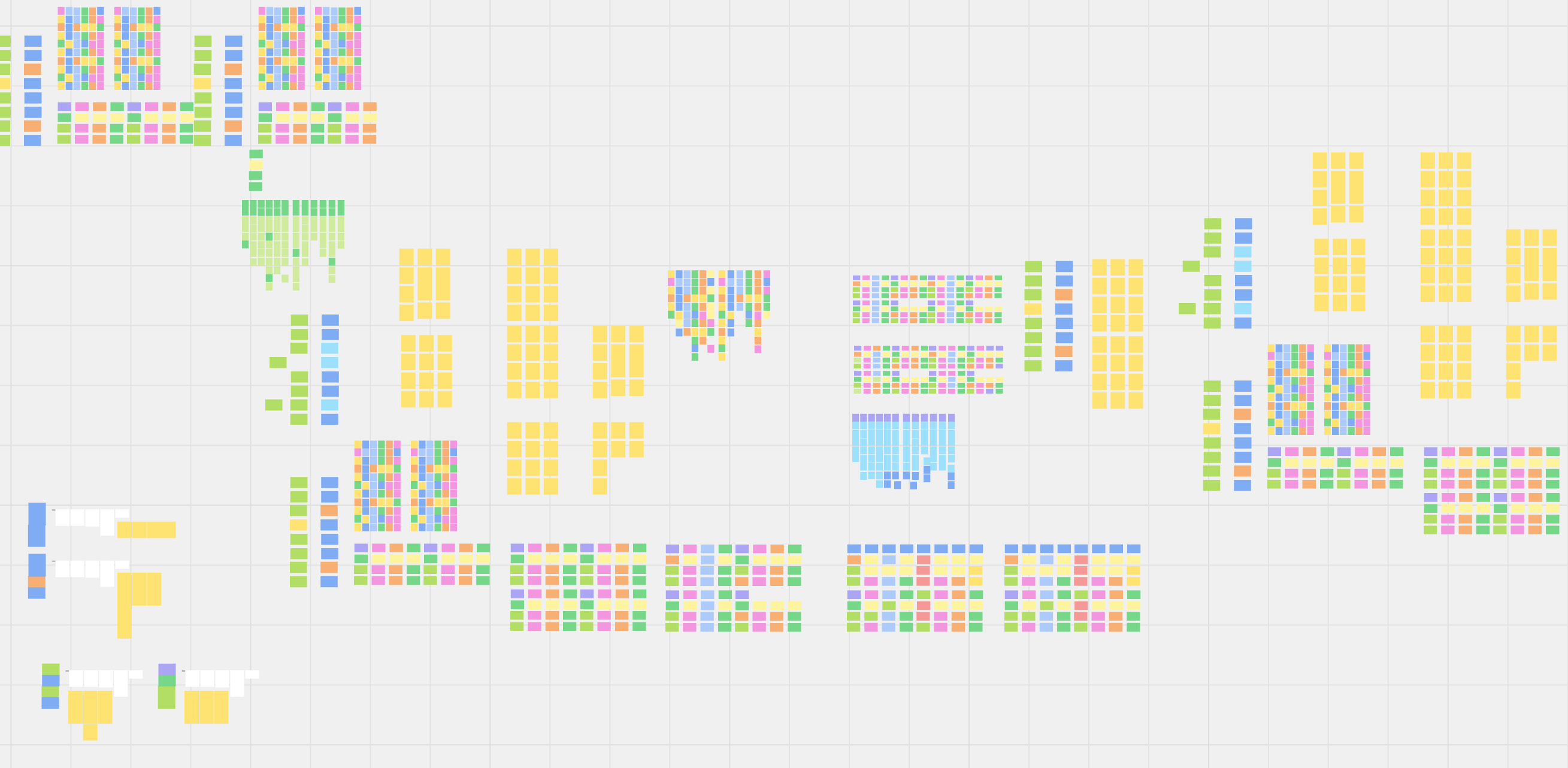 Miro is a cloud-based collaborative whiteboard platform that extends far beyond mind mapping into comprehensive visual workspace capabilities.
With over 150 installations and support for multiple diagram types, it serves teams needing versatile visual collaboration rather than MindManager’s mind mapping focus.
Key capabilities include:
Miro is a cloud-based collaborative whiteboard platform that extends far beyond mind mapping into comprehensive visual workspace capabilities.
With over 150 installations and support for multiple diagram types, it serves teams needing versatile visual collaboration rather than MindManager’s mind mapping focus.
Key capabilities include:
- 200+ pre-built templates plus thousands of community templates
- Native integrations with Jira, Slack, Microsoft Teams, Google Workspace
- Workshop facilitation tools including timers, voting, and presentation mode
- AI-powered diagram generation and sticky note clustering
- Talktrack for asynchronous video/audio walkthroughs
- Enterprise security with SSO, SAML, and SOC 2 certification
Why Choose Miro Over MindManager for Visual Collaboration
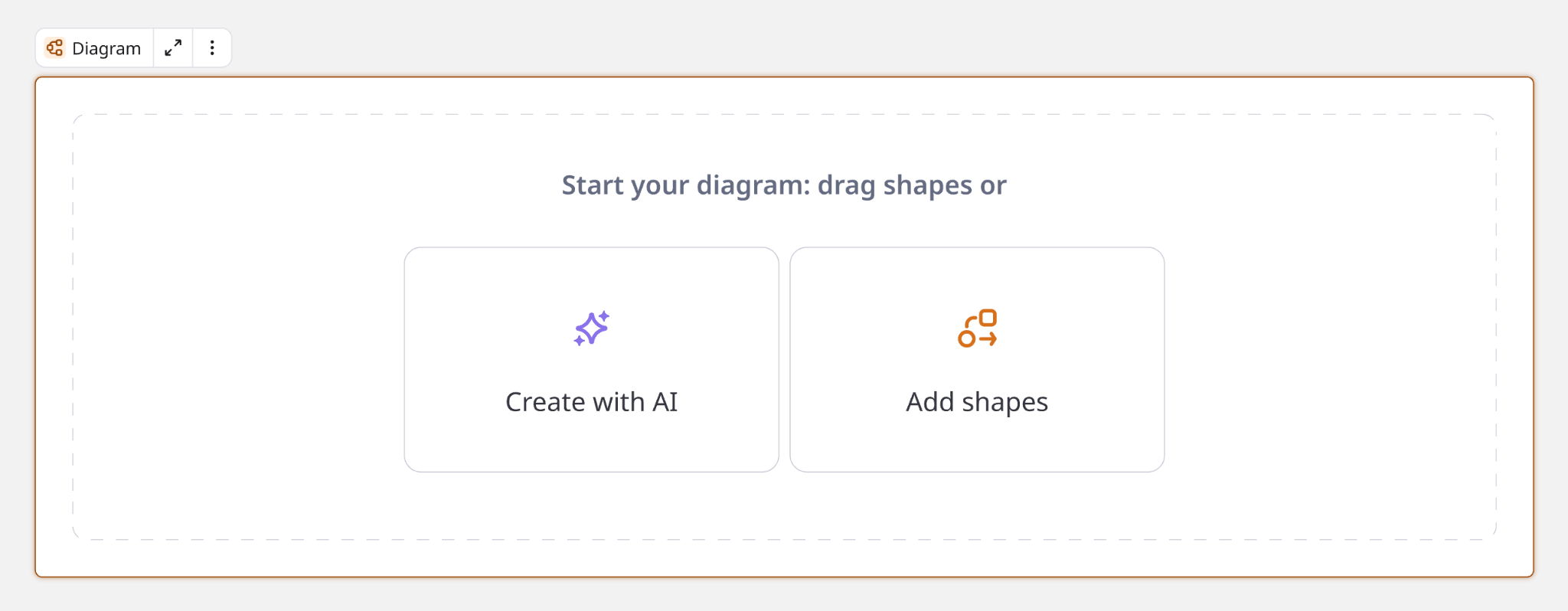
Miro excels beyond MindManager in three critical areas:- Multi-Format Visual Flexibility
 Source: Miro
- Purpose-Built Workshop Facilitation
- Deep Integration Ecosystem with AI
 Source: Miro
🏅 NOTE: We evaluated Lucidspark for real-time brainstorming and Mural for design thinking workshops.
However, Miro offers a particularly comprehensive ecosystem with extensive integration options and mature AI capabilities for teams needing an all-in-one visual platform.
Source: Miro
🏅 NOTE: We evaluated Lucidspark for real-time brainstorming and Mural for design thinking workshops.
However, Miro offers a particularly comprehensive ecosystem with extensive integration options and mature AI capabilities for teams needing an all-in-one visual platform.
Miro Pricing
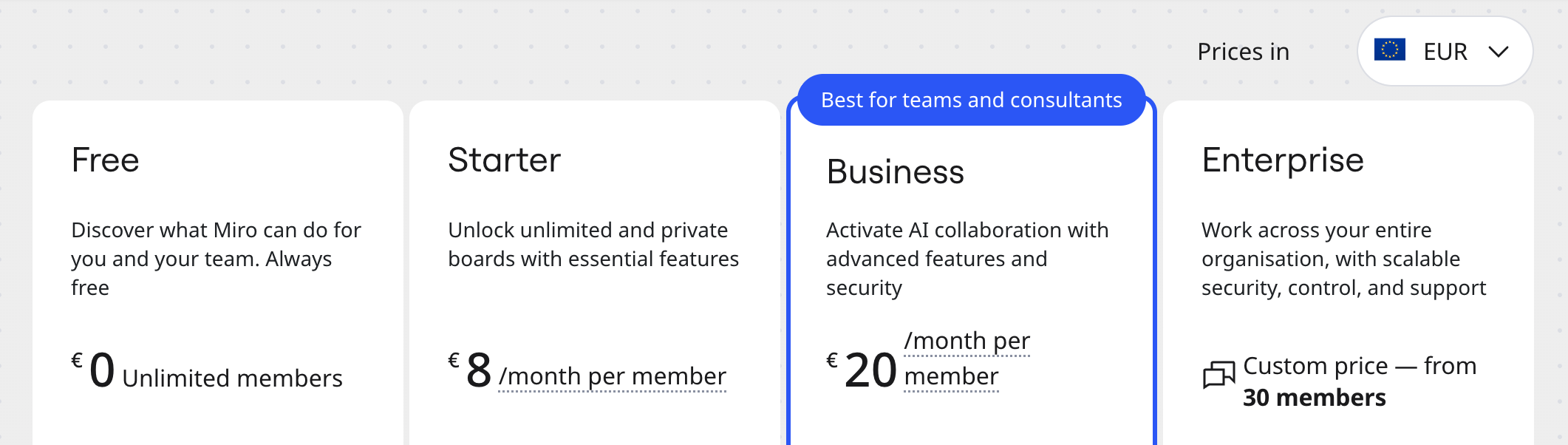
Miro uses per-member pricing with annual billing discounts:- Free: $0 for unlimited members, 3 editable boards, core integrations
- Starter: $8/member/month (annual) with unlimited boards, 25 AI credits
- Business: $16/member/month (annual) adds extensive shape libraries, Jira sync, SSO
- Enterprise: Custom pricing from 30 members with 100 AI credits, data residency
Who Should Use Miro?
Choose Miro if:- Your team runs frequent workshops requiring structured facilitation tools like timers, voting, and attention management features to keep distributed participants engaged across time zones
- You need versatility across multiple visual formats, from technical architecture diagrams to customer journey maps, preferring a unified environment over managing separate specialized tools – though consider whether you need deep structural hierarchy for complex information
- You’re part of a larger organization requiring enterprise-grade security, SSO/SAML authentication, data residency options, and a platform that reliably handles hundreds of simultaneous collaborators
6. XMind — Best Alternative for Budget-Conscious Users
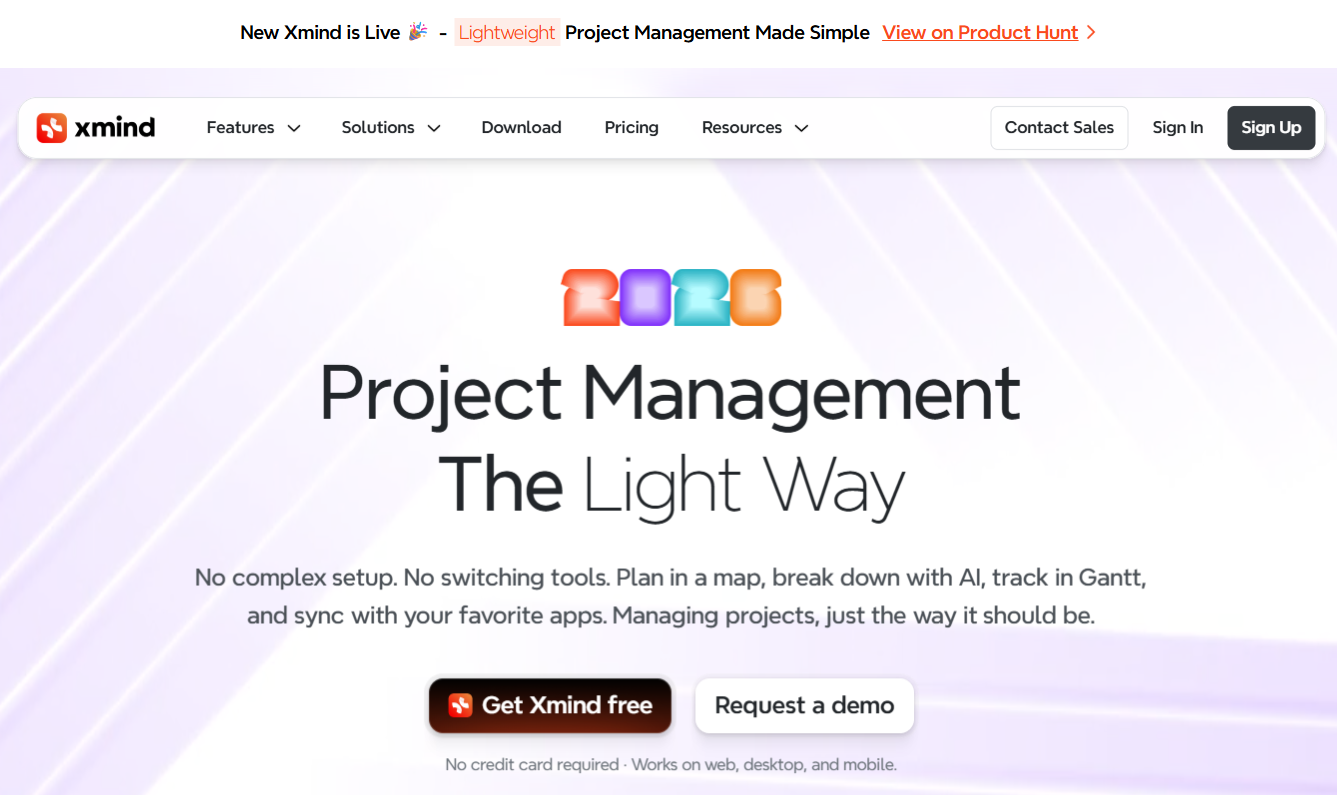 XMind is a comprehensive mind mapping application that delivers professional-grade capabilities without MindManager’s enterprise pricing.
With a functional free tier limited to 10 maps and paid plans starting at just $4.92/month, it makes advanced visual thinking accessible to everyone.
Key capabilities include:
XMind is a comprehensive mind mapping application that delivers professional-grade capabilities without MindManager’s enterprise pricing.
With a functional free tier limited to 10 maps and paid plans starting at just $4.92/month, it makes advanced visual thinking accessible to everyone.
Key capabilities include:
- 10 mind maps in free tier with unlimited topics per map
- Multiple diagram types mixable within single maps
- AI-powered idea generation and content summarization
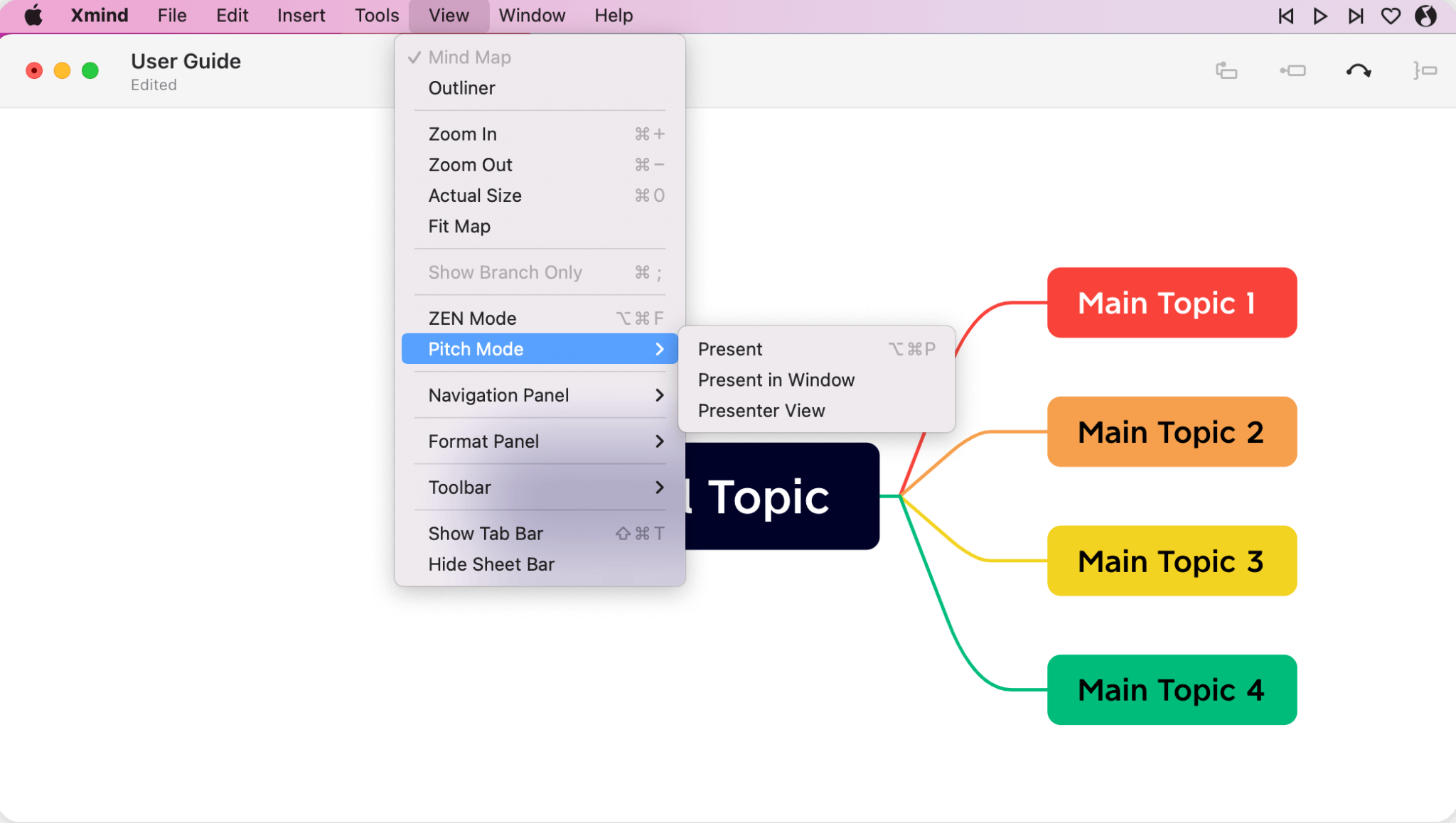
- Pitch Mode for automatic presentation creation
- ZEN Mode for distraction-free brainstorming
- Full offline functionality with local storage
- Export to PDF, Office formats, and more
Why Choose XMind Over MindManager for Budget-Conscious Mapping
XMind delivers exceptional value through four key advantages:- Accessible Professional Features
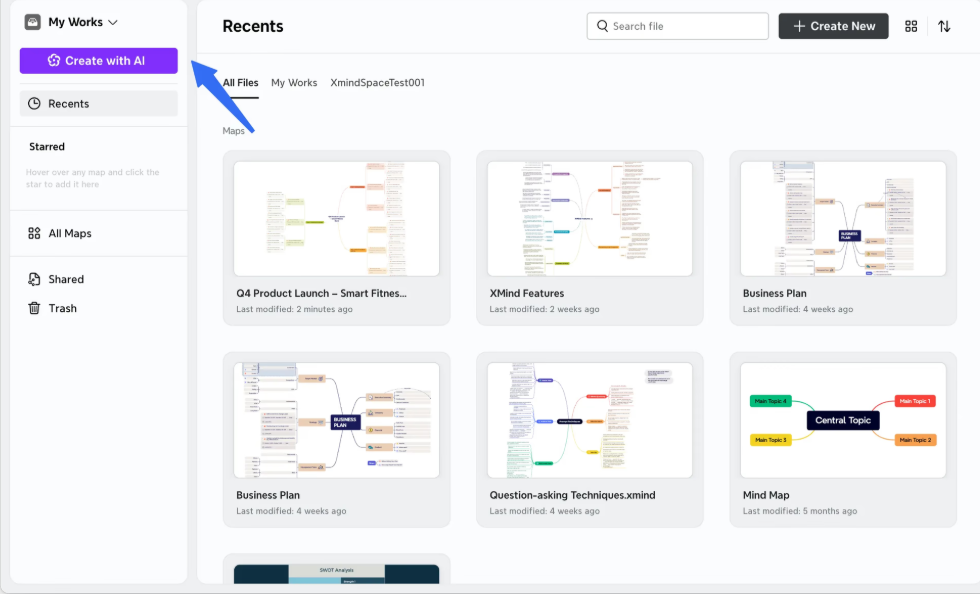
- AI-Powered Creative Enhancement
 Source: XMind
- Structural Versatility Within Maps
- Integrated Presentation Creation
 Source: XMind
🏅 NOTE: We evaluated Freeplane and FreeMind as free alternatives.
While they offer open-source flexibility, XMind provides a more polished, actively developed experience with modern AI capabilities that make it suitable for professional work beyond amateur use.
Source: XMind
🏅 NOTE: We evaluated Freeplane and FreeMind as free alternatives.
While they offer open-source flexibility, XMind provides a more polished, actively developed experience with modern AI capabilities that make it suitable for professional work beyond amateur use.
XMind Pricing
XMind offers graduated pricing with value at every tier:- Free: $0 with 10 collaborative maps, unlimited topics per map, basic features
- Pro: $4.92/month (billed annually at $59) adds 50 maps, Office exports, custom themes
- Premium: $8.25/month (billed annually at $99) includes unlimited maps, real-time collaboration, Gantt charts
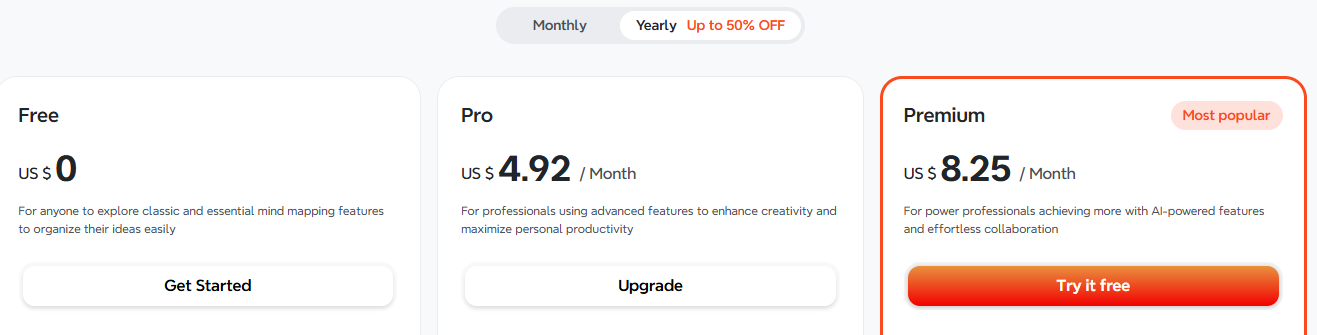 All plans include cross-platform access and the free tier provides useful features rather than just a limited trial.
Who Should Use XMind?
Choose XMind if:- Your organization operates with limited budget for productivity software and needs professional mind mapping immediately without procurement cycles, making MindManager’s enterprise pricing difficult to justify
- You value modern AI assistance for overcoming creative blocks and structuring information, particularly when dealing with information overload or blank-canvas paralysis during brainstorming
- Your workflow requires presenting ideas to stakeholders and you want automatic conversion to animated presentations within a single tool, maintaining the dynamic nature of your thinking
7. Heptabase — Best Alternative for Academic Research & PDF Management
 Heptabase is a premium visual note-taking tool specifically designed for researchers and academics working with dense source materials.
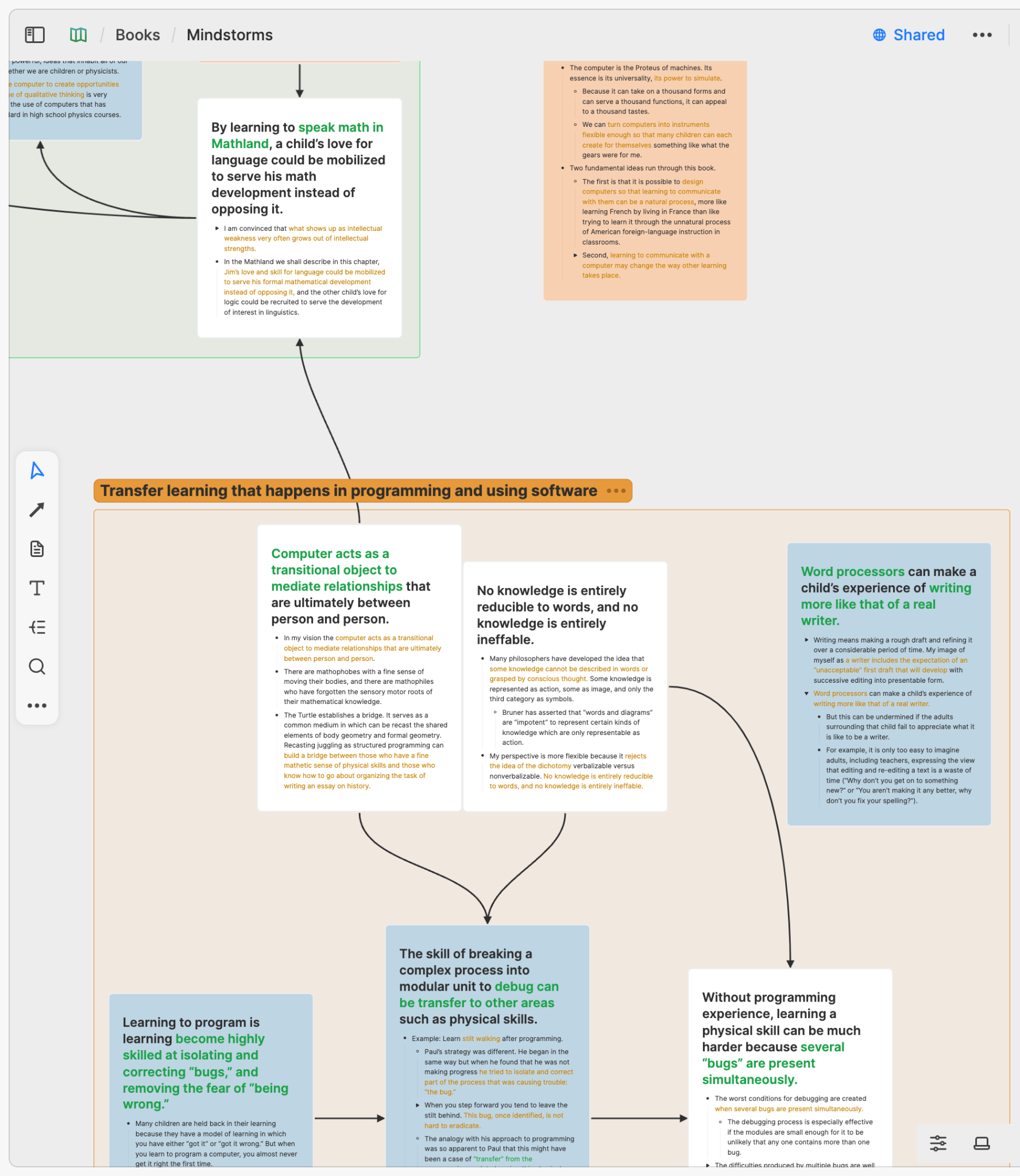
Unlike MindManager’s business focus, Heptabase centers on a research-first workflow where atomic notes (“cards”) on infinite whiteboards create interconnected knowledge maps.
Key capabilities include:
Heptabase is a premium visual note-taking tool specifically designed for researchers and academics working with dense source materials.
Unlike MindManager’s business focus, Heptabase centers on a research-first workflow where atomic notes (“cards”) on infinite whiteboards create interconnected knowledge maps.
Key capabilities include:
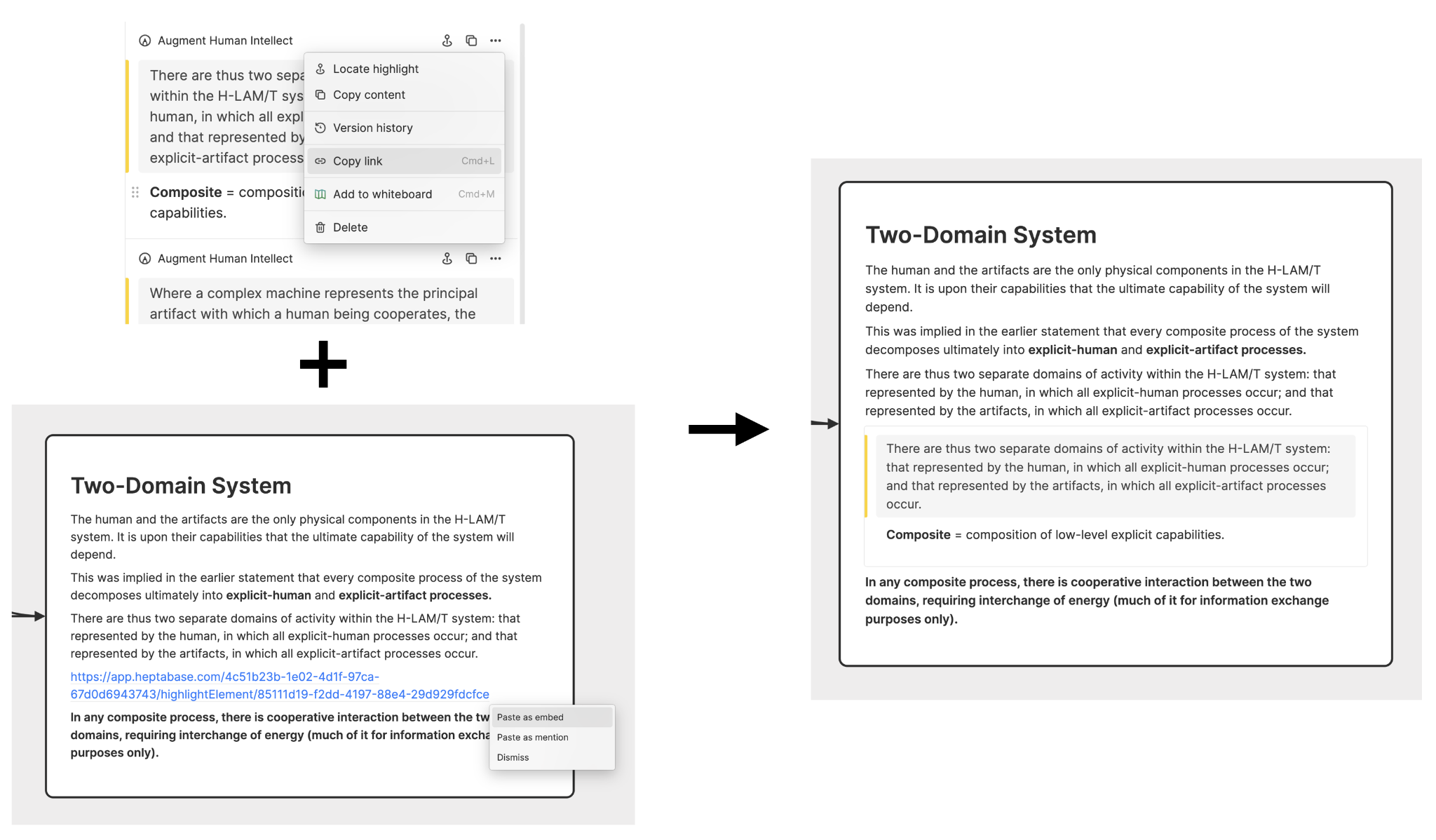
- Robust PDF annotation with highlight-to-card extraction
- Infinitely zoomable whiteboards for visual organization
- Block-based cards supporting text, images, equations, and media
- AI features with bring-your-own-API-key model
- Structured tag databases that organize tags with custom properties
- Offline-first architecture with cloud sync
- Real-time collaboration with permission control
Why Choose Heptabase Over MindManager for Research
Heptabase excels for academic work through three core strengths:- PDF-Centric Research Workflow
 Source: Heptabase
- Reusable Knowledge Architecture
 Source: Heptabase
- Structured Tag Databases
Heptabase Pricing
Heptabase positions itself as a premium tool with limited free access:- Monthly Plan: $11.99/month with all features
- Yearly Plan: $8.99/month (billed annually as $107.88, saves 25%)
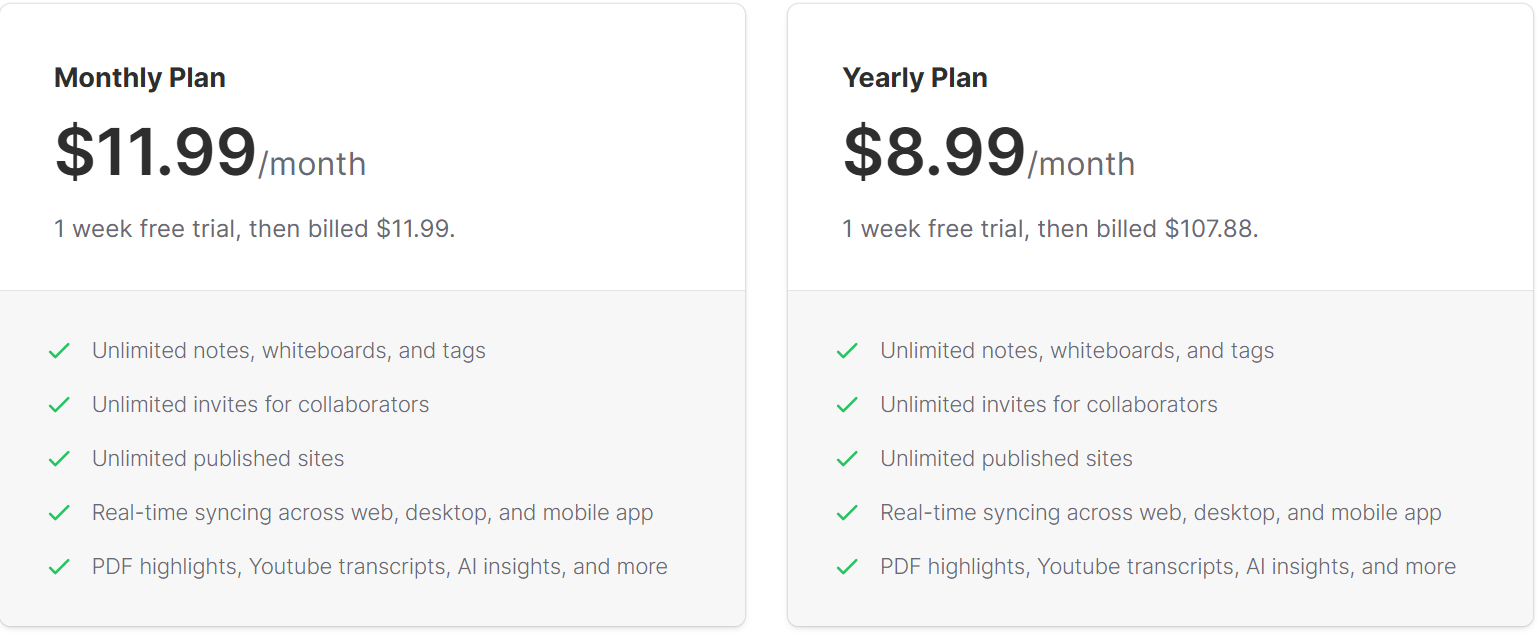 Both plans include unlimited notes, whiteboards, tags, collaborators, and full feature access with a 7-day free trial. Note that a restricted free plan exists for users invited as collaborators.
Who Should Use Heptabase?
Choose Heptabase if:- You’re a graduate student or researcher regularly working with PDF documents needing to extract, organize, and collect information from multiple sources while maintaining rigorous source tracking
- Your learning workflow involves understanding complex topics through visual sense-making, requiring connections between ideas without navigating nested hierarchies or linear documents
- You’re willing to invest in a premium subscription for a Y Combinator-backed tool with local data storage ensuring offline access to your knowledge base
The Final Verdict
While MindManager offers a comprehensive solution for enterprise visual work management, the alternatives we’ve explored each excel in specific areas that might better match your unique needs:- Infinity Maps for when you’ve outgrown traditional options and need to combine the benefits of whiteboards, mind maps, and infinite scalability without choosing between structure and freedom
- Microsoft Visio for enterprises deeply integrated with Microsoft 365 requiring native ecosystem compatibility
- MindMeister for small teams prioritizing browser-first simplicity and quick collaboration
- Ayoa for teams needing seamless transition from mind mapping to task execution
- Miro for versatile visual collaboration across multiple formats and large workshops
- XMind for budget-conscious users wanting professional features without enterprise pricing
- Heptabase for academics and researchers working extensively with PDFs and dense source materials
Kommentare