
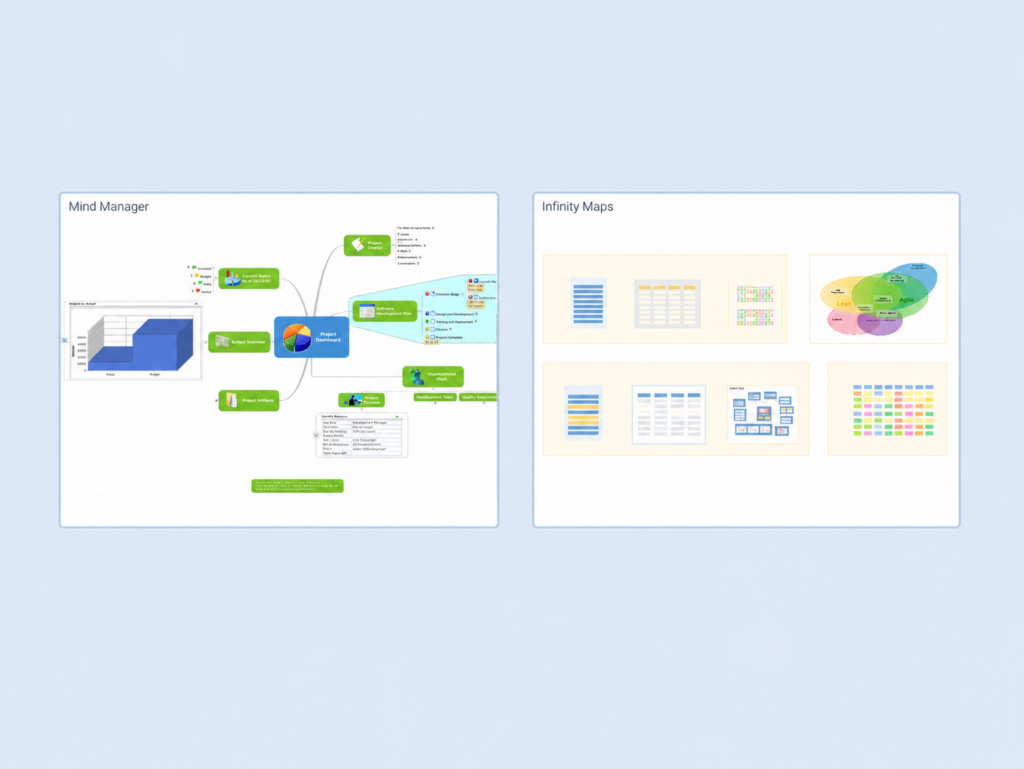
MindManager Review: How Our Visual Approach Compares In 2026
MindManager has established itself as one of the most comprehensive mind mapping and visual productivity platforms available, serving millions of users across thousands of organizations worldwide. With its extensive feature set spanning multiple diagram types, robust project management capabilities, and deep Microsoft Office integration, it has become a widely adopted solution for business professionals who need to transform scattered information into structured visual plans. To create this MindManager review, we’ve analyzed the platform extensively. We believe it’s the ideal choice if:- You need multiple diagram types beyond just mind maps
- You value deep integration with Microsoft Office tools
- You require robust project management features like Gantt charts
- You work in an enterprise environment with complex workflows
- You prefer desktop software with full offline capabilities
- What is MindManager?
- MindManager Pros & Cons
- MindManager Review: How it Works & Key Features
- Where MindManager Falls Short
- Our Different Approach to Visual Knowledge Management
- MindManager or Infinity Maps: Methodology Comparison
- Final Verdict
What is MindManager?
MindManager was initially developed in the mid-1990s by Mike Jetter, who created the software while recovering from a bone marrow transplant. His goal was to overcome the limitations of physical mind maps by developing a program that could easily move and reorganize ideas. The company Mindjet was founded in 1998 to support the software’s development, and MindManager has since evolved far beyond its mind mapping origins. Now owned by Alludo (formerly Corel Corporation) following a 2016 acquisition, MindManager has transformed from a simple mind mapping tool into a comprehensive visual productivity platform. The software combines mind mapping with flowcharts, concept maps, timelines, Gantt charts, and organizational charts, positioning itself as an all-in-one solution for visual thinking and project management. The platform serves as a virtual whiteboard where users can organize thoughts, plan projects, and visualize complex information. It has become particularly popular among business professionals, project managers, and consultants who need to manage complex projects and communicate intricate strategies. MindManager targets organizations that are heavily invested in the Microsoft ecosystem, offering seamless integration with Office applications and SharePoint.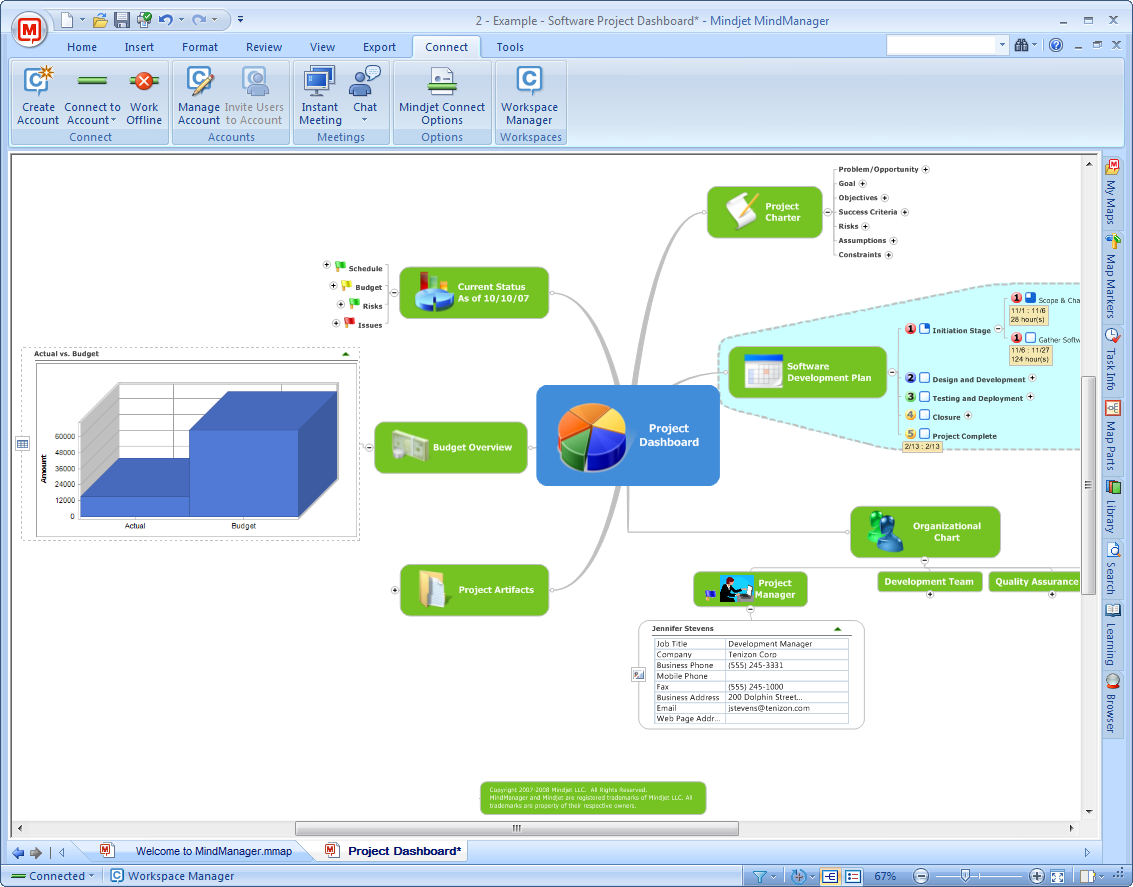
MindManager Pros & Cons
Pros |
Cons |
|---|---|
✅ Extensive diagram types (mind maps, flowcharts, Gantt charts, etc.) |
❌ Steep learning curve for advanced features |
✅ Deep Microsoft Office integration |
❌ High price point ($99-179/year) |
✅ Robust project management capabilities |
❌ Can be overwhelming for simple mind mapping needs |
✅ Powerful desktop application with offline access |
❌ Mobile app limitations |
✅ Enterprise-ready with IT administration features |
❌ Complex features may feel like bloat for basic users |
MindManager Review: How it Works & Key Features
Visual Diagram Creation
MindManager’s core functionality centers on creating various types of visual diagrams. Users start with a central topic and can add main topics and subtopics using keyboard shortcuts or toolbar buttons. The software supports multiple diagram types including traditional mind maps, flowcharts for process visualization, concept maps for showing relationships, timelines for chronological planning, Gantt charts for project schedules, organizational charts, Venn diagrams, matrix diagrams, and swim lane diagrams.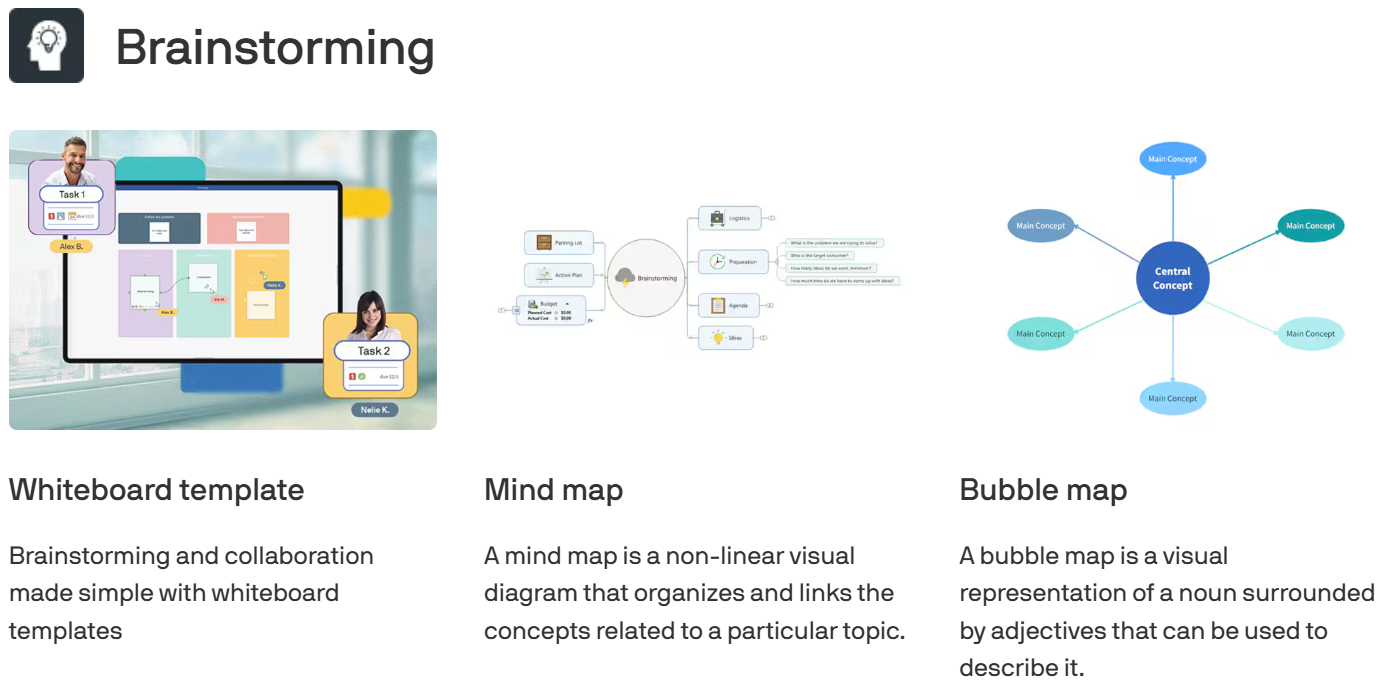 The interface follows Microsoft Office design patterns with a familiar ribbon toolbar. Topics can be enriched with notes, hyperlinks, attachments, icons, and tags. The software includes a large library of pre-designed templates covering project management, strategic planning, problem solving, and meeting management. Users can customize topic appearance with different shapes, colors, fonts, and images, while boundaries can group related topics visually.
A standout capability is the ability to combine different diagram types within a single view. For example, a mind map can incorporate a flowchart section, providing comprehensive visualization options that adapt to different types of information and thinking styles.
The interface follows Microsoft Office design patterns with a familiar ribbon toolbar. Topics can be enriched with notes, hyperlinks, attachments, icons, and tags. The software includes a large library of pre-designed templates covering project management, strategic planning, problem solving, and meeting management. Users can customize topic appearance with different shapes, colors, fonts, and images, while boundaries can group related topics visually.
A standout capability is the ability to combine different diagram types within a single view. For example, a mind map can incorporate a flowchart section, providing comprehensive visualization options that adapt to different types of information and thinking styles.
Project Management Capabilities
MindManager transforms from a visualization tool into a project management platform through its task management features. Topics can be converted into tasks with start dates, due dates, durations, priorities, progress indicators, and resource assignments. This task information integrates with a built-in Gantt chart view that automatically generates from the task data in the mind map.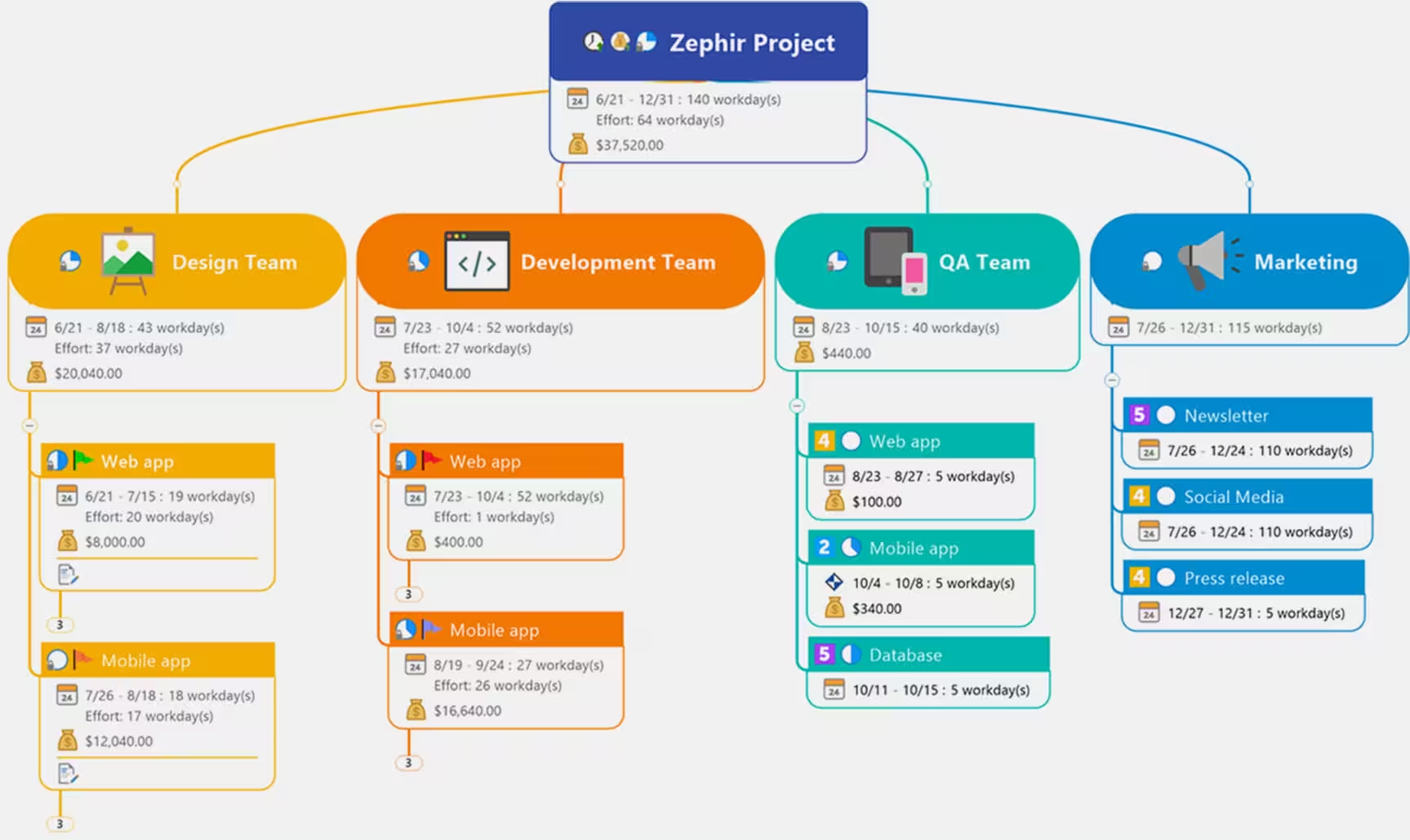 The software calculates critical paths, showing which tasks directly impact project completion. Dependencies between tasks can be established and visualized. Resource management features include resource grids and reports that help users identify allocation issues, though users must interpret these reports themselves to prevent overallocation. Project information seamlessly syncs with Microsoft Project for teams using that platform. The software includes template-based risk analysis capabilities and milestone tracking, with visual indicators showing task status at a glance.
Users can switch between mind map view and Gantt chart view while maintaining data consistency. Filters allow focusing on specific resources, deadlines, or priorities, making it easier to manage complex projects with multiple workstreams.
The software calculates critical paths, showing which tasks directly impact project completion. Dependencies between tasks can be established and visualized. Resource management features include resource grids and reports that help users identify allocation issues, though users must interpret these reports themselves to prevent overallocation. Project information seamlessly syncs with Microsoft Project for teams using that platform. The software includes template-based risk analysis capabilities and milestone tracking, with visual indicators showing task status at a glance.
Users can switch between mind map view and Gantt chart view while maintaining data consistency. Filters allow focusing on specific resources, deadlines, or priorities, making it easier to manage complex projects with multiple workstreams.
Microsoft Integration
MindManager’s integration with Microsoft Office represents one of its strongest differentiators. The software can import and export to Word documents, maintaining hierarchical structure. Excel integration comes in two forms: the Excel Data Mapper creates one-time visual representations of spreadsheet data, while the Excel Linker feature maintains live connections that update when source data changes. PowerPoint presentations can be generated automatically from maps, with each main topic becoming a slide.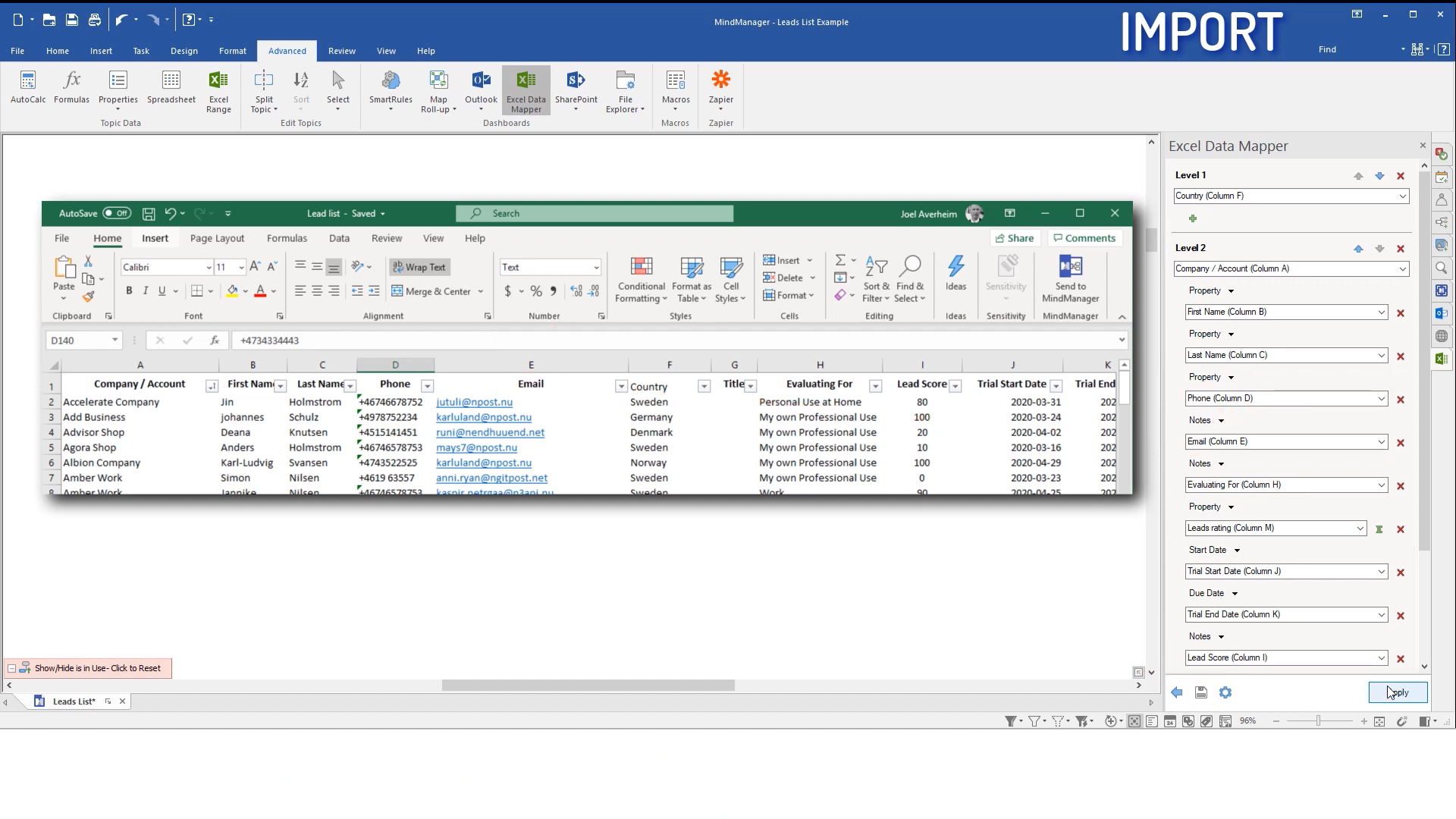 Source: MindManager
Outlook integration enables two-way synchronization of tasks, appointments, and contacts. Email content can be captured directly into maps. The Microsoft Teams integration allows maps to be embedded as tabs within channels, enabling real-time co-editing within the Teams interface. SharePoint integration provides enterprise-level document management and collaboration capabilities.
These integrations go beyond simple import/export, offering features like automatic data synchronization between MindManager and Outlook items, formula calculations within maps using Excel-like functions, and the ability to maintain live connections between MindManager and Excel documents through the Excel Linker feature.
Source: MindManager
Outlook integration enables two-way synchronization of tasks, appointments, and contacts. Email content can be captured directly into maps. The Microsoft Teams integration allows maps to be embedded as tabs within channels, enabling real-time co-editing within the Teams interface. SharePoint integration provides enterprise-level document management and collaboration capabilities.
These integrations go beyond simple import/export, offering features like automatic data synchronization between MindManager and Outlook items, formula calculations within maps using Excel-like functions, and the ability to maintain live connections between MindManager and Excel documents through the Excel Linker feature.
Collaboration Features
MindManager provides multiple collaboration capabilities designed for team productivity. Real-time co-editing allows multiple users to work on the same map simultaneously across Windows, Mac, and web platforms. Changes appear for all participants, with cursors showing each user’s position.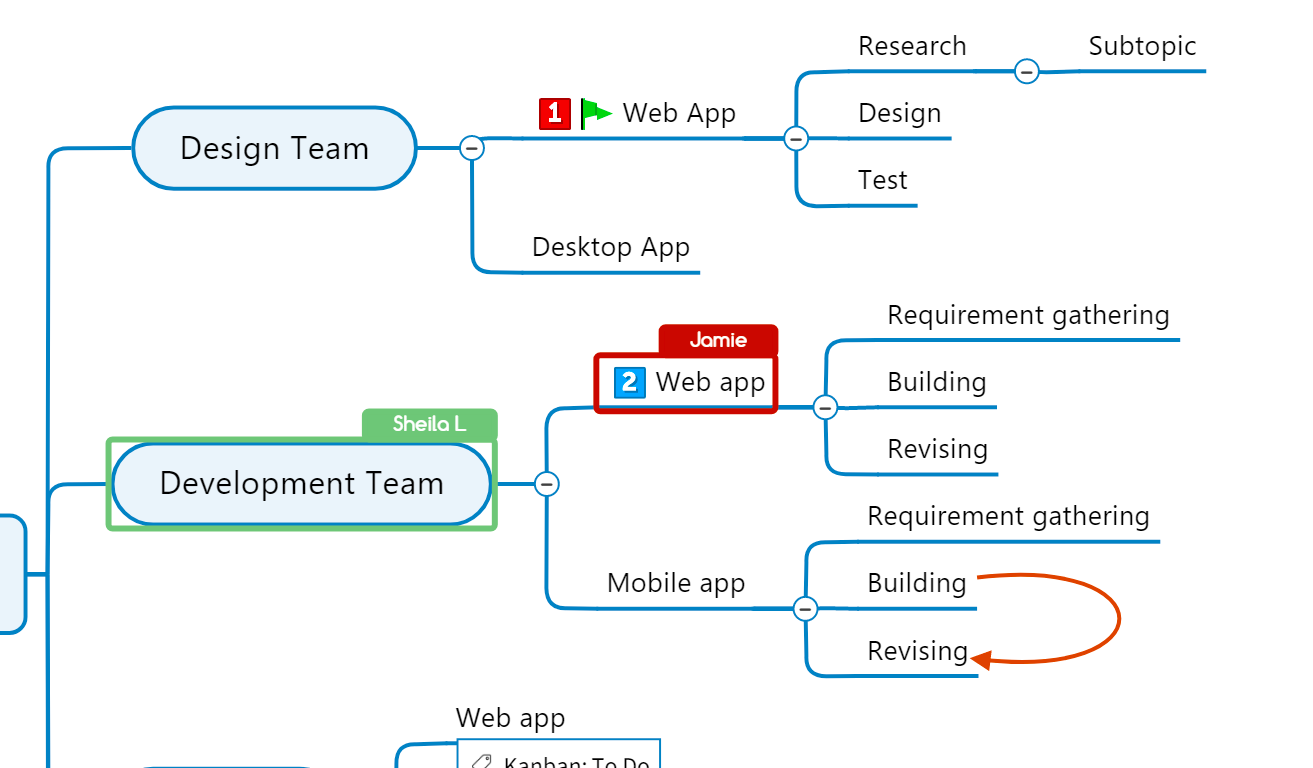 Maps can be published online with shareable links, allowing viewers without MindManager licenses to interact with the content through their web browser. Published maps can be password-protected and configured to allow or prevent downloading. The Pack & Go feature bundles maps with all linked documents into a single ZIP file for easy sharing.
MindManager Snap serves as a content capture tool, allowing team members to collect information from various sources and send it to a shared queue. Map parts can be shared between team members for asynchronous collaboration. Integration with Zapier connects MindManager to over 7,000 other applications, enabling automated workflows.
Maps can be published online with shareable links, allowing viewers without MindManager licenses to interact with the content through their web browser. Published maps can be password-protected and configured to allow or prevent downloading. The Pack & Go feature bundles maps with all linked documents into a single ZIP file for easy sharing.
MindManager Snap serves as a content capture tool, allowing team members to collect information from various sources and send it to a shared queue. Map parts can be shared between team members for asynchronous collaboration. Integration with Zapier connects MindManager to over 7,000 other applications, enabling automated workflows.
Where MindManager Falls Short
While MindManager excels as a comprehensive visual productivity suite, several limitations reveal a platform optimized for traditional diagramming paradigms rather than innovative approaches to knowledge visualization. The sheer complexity of features can overwhelm users who simply need to organize their thoughts visually. With multiple diagram types, project management tools, and enterprise features, the learning curve steepens significantly for those seeking straightforward mind mapping. Users frequently report that mastering advanced capabilities requires substantial time investment, with some features feeling unnecessarily complicated for their actual needs.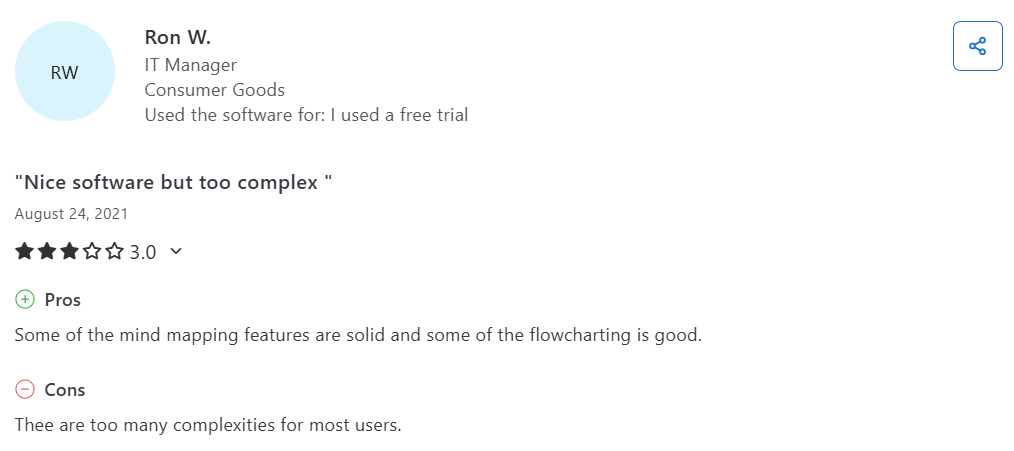 Source: Capterra
The premium pricing creates barriers for individual users and small teams. At $99 to $179 per year for individual licenses, MindManager positions itself firmly in the enterprise software category. This cost structure, combined with the lack of a permanent free plan beyond the 30-day trial, limits accessibility for students, freelancers, and small businesses who might benefit from visual thinking tools.
Source: Capterra
The premium pricing creates barriers for individual users and small teams. At $99 to $179 per year for individual licenses, MindManager positions itself firmly in the enterprise software category. This cost structure, combined with the lack of a permanent free plan beyond the 30-day trial, limits accessibility for students, freelancers, and small businesses who might benefit from visual thinking tools.
 Most critically, traditional diagram structures impose inherent limitations on how information can be organized. Each diagram type operates within its own constraints: Mind maps branch outward from a center but become unwieldy with hundreds of sub-branches, flowcharts follow linear processes, and Gantt charts display temporal sequences. Even when MindManager allows combining different diagram types in one view, you’re still forced to choose which paradigm to use for each section. You cannot achieve true paradigm fusion because maintaining mind map hierarchy while also showing concept map interrelations and incorporating whiteboard-style creative freedom in a unified, navigable space is not possible.
When mind maps grow large with hundreds of sub-branches, they lose their charm and effectiveness. Fully zoomed out, you can’t even read the top-level branches; fully zoomed in, it’s hard to maintain context and orientation. Adding more than a handful of cross-connections between branches results in visual chaos, making the map harder to understand rather than clearer. These aren’t just MindManager limitations; rather, they are fundamental constraints of the mind mapping paradigm itself. That’s why we developed a different approach.
The desktop-centric design philosophy, while providing robust offline capabilities, reflects an older approach to software deployment. The mobile experience remains limited, and the web version lacks many desktop features. For teams working across various devices and locations, this inconsistency can disrupt workflows and limit spontaneous collaboration.
Most critically, traditional diagram structures impose inherent limitations on how information can be organized. Each diagram type operates within its own constraints: Mind maps branch outward from a center but become unwieldy with hundreds of sub-branches, flowcharts follow linear processes, and Gantt charts display temporal sequences. Even when MindManager allows combining different diagram types in one view, you’re still forced to choose which paradigm to use for each section. You cannot achieve true paradigm fusion because maintaining mind map hierarchy while also showing concept map interrelations and incorporating whiteboard-style creative freedom in a unified, navigable space is not possible.
When mind maps grow large with hundreds of sub-branches, they lose their charm and effectiveness. Fully zoomed out, you can’t even read the top-level branches; fully zoomed in, it’s hard to maintain context and orientation. Adding more than a handful of cross-connections between branches results in visual chaos, making the map harder to understand rather than clearer. These aren’t just MindManager limitations; rather, they are fundamental constraints of the mind mapping paradigm itself. That’s why we developed a different approach.
The desktop-centric design philosophy, while providing robust offline capabilities, reflects an older approach to software deployment. The mobile experience remains limited, and the web version lacks many desktop features. For teams working across various devices and locations, this inconsistency can disrupt workflows and limit spontaneous collaboration.
Our Different Approach to Visual Knowledge Management
We at Infinity Maps represent the evolution beyond traditional mind mapping for users whose information has become too complex for single-paradigm tools. Founded in 2020 by Dr. Heiko Haller, Johannes Grenzemann, and Robin Lutz, our platform reimagines how we organize and navigate complex information visually. Dr. Haller developed the underlying iMapping method during his doctoral research at the intersection of computer science and personal knowledge management at the FZI Research Center for Information Technology in Karlsruhe.
The Award-Winning iMapping Method
The iMapping method, which earned academic recognition and awards, represents the first successful combination of mind mapping, concept mapping, graphs, whiteboards, and spatial hypertext into one unified system.This scientifically evaluated approach doesn’t force users to choose between hierarchy or connections, or between structure and freedom; instead, it provides all of these simultaneously. Rather than constraining information into predetermined diagram structures, iMapping creates a spatial environment where knowledge can be organized according to its natural relationships and hierarchies. The method recognizes that complex topics rarely fit into single diagram types and that understanding often requires moving fluidly between overview and detail. We implement this through “cards” as fundamental building blocks. Each card can contain text, images, files, and crucially, other cards. This simple concept enables the creation of knowledge structures that can accommodate any level of complexity while remaining navigable and comprehensible through smooth zooming and double-click navigation.
Revolutionary Scale and Navigation
Our infinite canvas operates at a scale that fundamentally transforms what is possible in visual knowledge management. While traditional digital whiteboards might scale to the size of a house wall (50m x 10m), we scale larger than than Google Maps itself, ranging from planetary level down to micrometer detail with a zoom factor of 1:1,000,000,000,000. This isn’t just about having more space; it’s about creating a truly infinite knowledge environment where you can smoothly navigate from global overview to minute detail. Infinity Maps can handle thousands of elements while maintaining performance, with double-click navigation allowing instant focus on specific objects. Users describe it as “the starting page for my brain” because it is a space where they can build one huge map that becomes their infinite knowledge space, scaling from simple note-taking to comprehensive corporate knowledge bases without switching tools.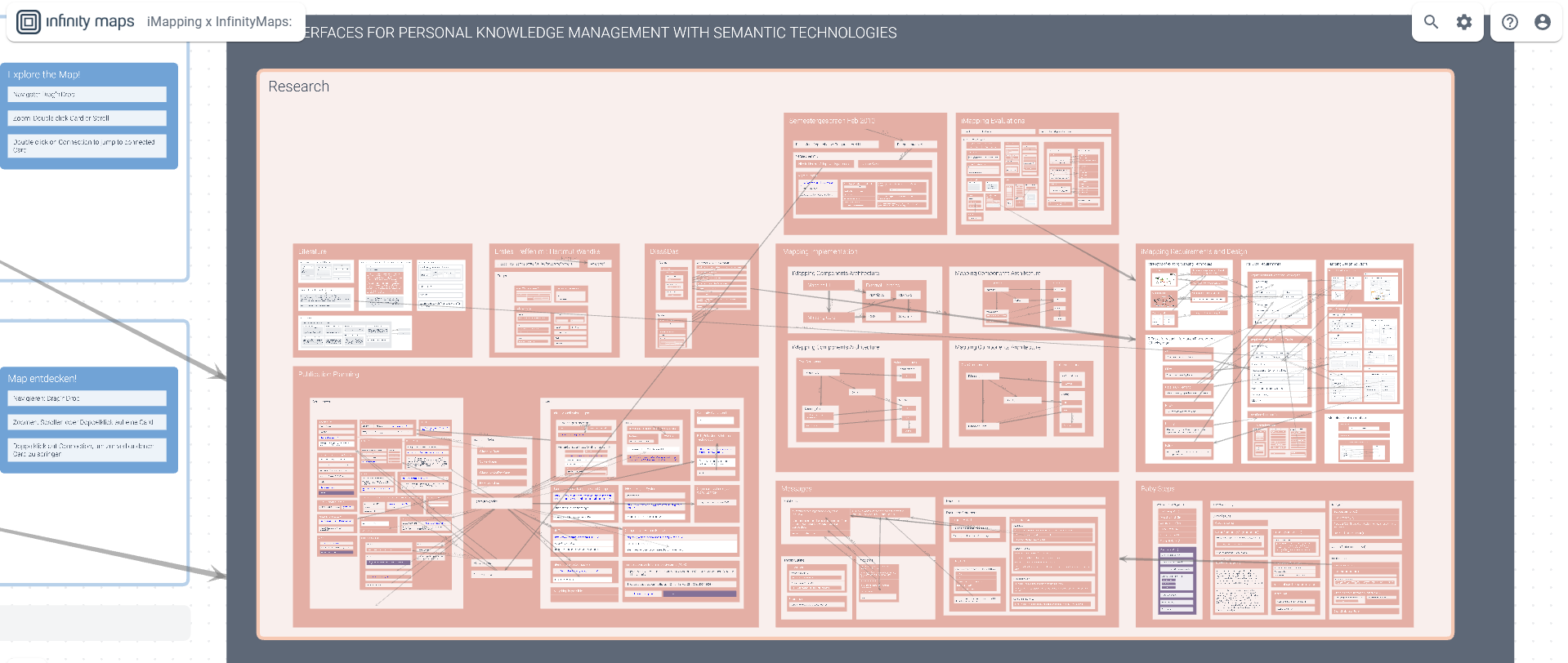
Deep Nesting and True Hierarchy
Our nesting capability transforms how hierarchical information is managed. Cards can be nested over 100 levels deep, which is more than enough even for the most complex organizational structures. This isn’t just about having many levels; it’s about maintaining clear structure and context no matter how deep you navigate. Each card becomes a portal to another layer of information, creating what is essentially a map of maps of maps, continuing as deep as needed. A project card might contain strategy cards, which contain initiative cards, which contain task cards, which contain research cards; each level is accessible through smooth zooming rather than jumping between separate documents or views. The nesting ensures users always have a reasonable viewport and context, preventing the disorientation that occurs when everything exists on one flat layer. While the nesting depth is unlimited by its architecture, it’s worth noting that our Free plan limits maps to 300 cards and the Pro plan to 1000 cards, with the Unlimited plan removing these restrictions. Even within these limits, the depth and structure possibilities far exceed what traditional tools offer.Intelligent Connection Management
One of our most innovative features is our approach to managing visual complexity through toggleable connection display modes. Rather than showing all connections at once, which creates the “spaghetti diagram” problem that plagues complex concept maps, we offer on-demand visibility. Users can choose to display connections only for cards they’re selecting or hovering over with their mouse.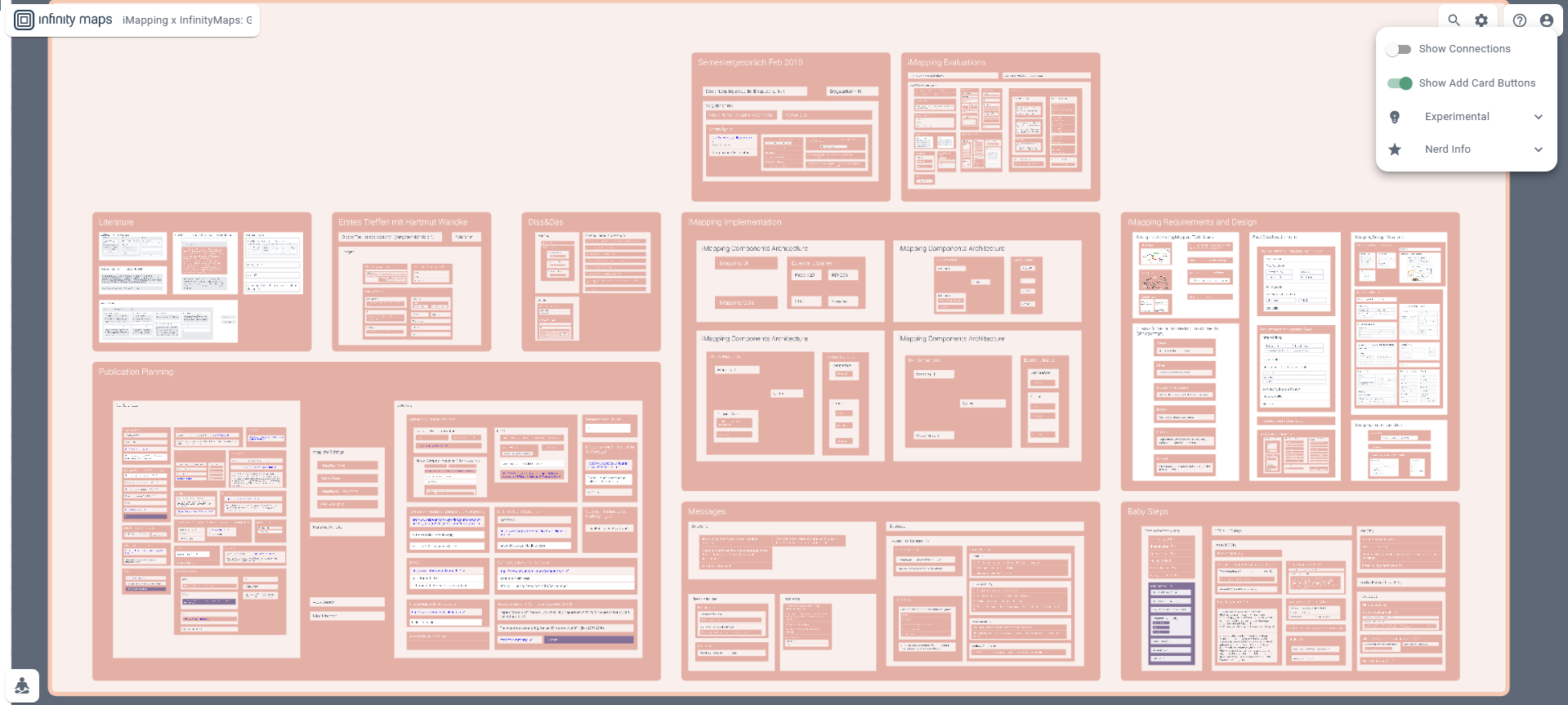 This intelligent connection management is a unique selling point that makes it possible to work with hundreds of interrelations without visual overwhelm. You can maintain any number of cross-connections between ideas while keeping the visual space clean and navigable. When you need to see how something connects, the relationships appear; when you’re focusing on structure, they fade away. This solves one of the fundamental problems of traditional concept mapping tools, and it’s something you won’t find in MindManager or other traditional diagramming platforms.
Visual Knowledge Architecture That Combines All Paradigms
Infinity Maps uniquely combines three visualization structures in one unified system:- the hierarchy of mind maps and tree diagrams,
- the network structure with interrelations like graphs, and
- the free placement flexibility of whiteboards. This isn’t just offering multiple diagram types; it’s true paradigm fusion where all three approaches work together seamlessly.
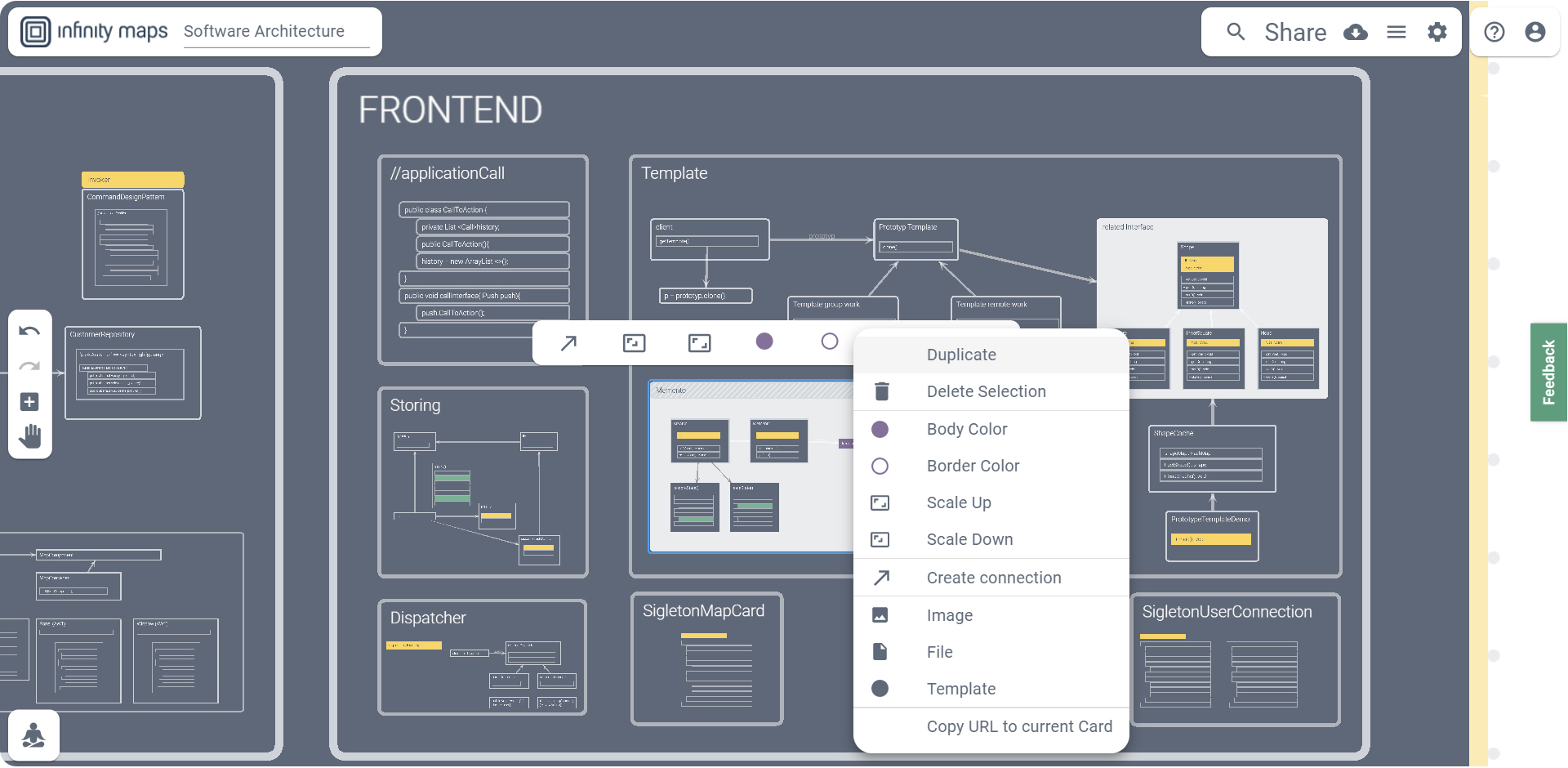 This paradigm combination means you never have to choose, whether to use a mind map OR a concept map, hierarchy OR connections, structure OR freedom. For the first time, with our platform you can maintain hierarchy like in mind maps while showing concept map interrelations, all with whiteboard-style creative freedom in a common overview.
Collaborative Knowledge Building
We enable teams to build shared knowledge repositories that grow organically over time. Real-time collaboration features allow multiple users to work simultaneously on the same map, with cursors showing who is where. Changes sync in real-time, creating a living document that evolves with the team’s understanding.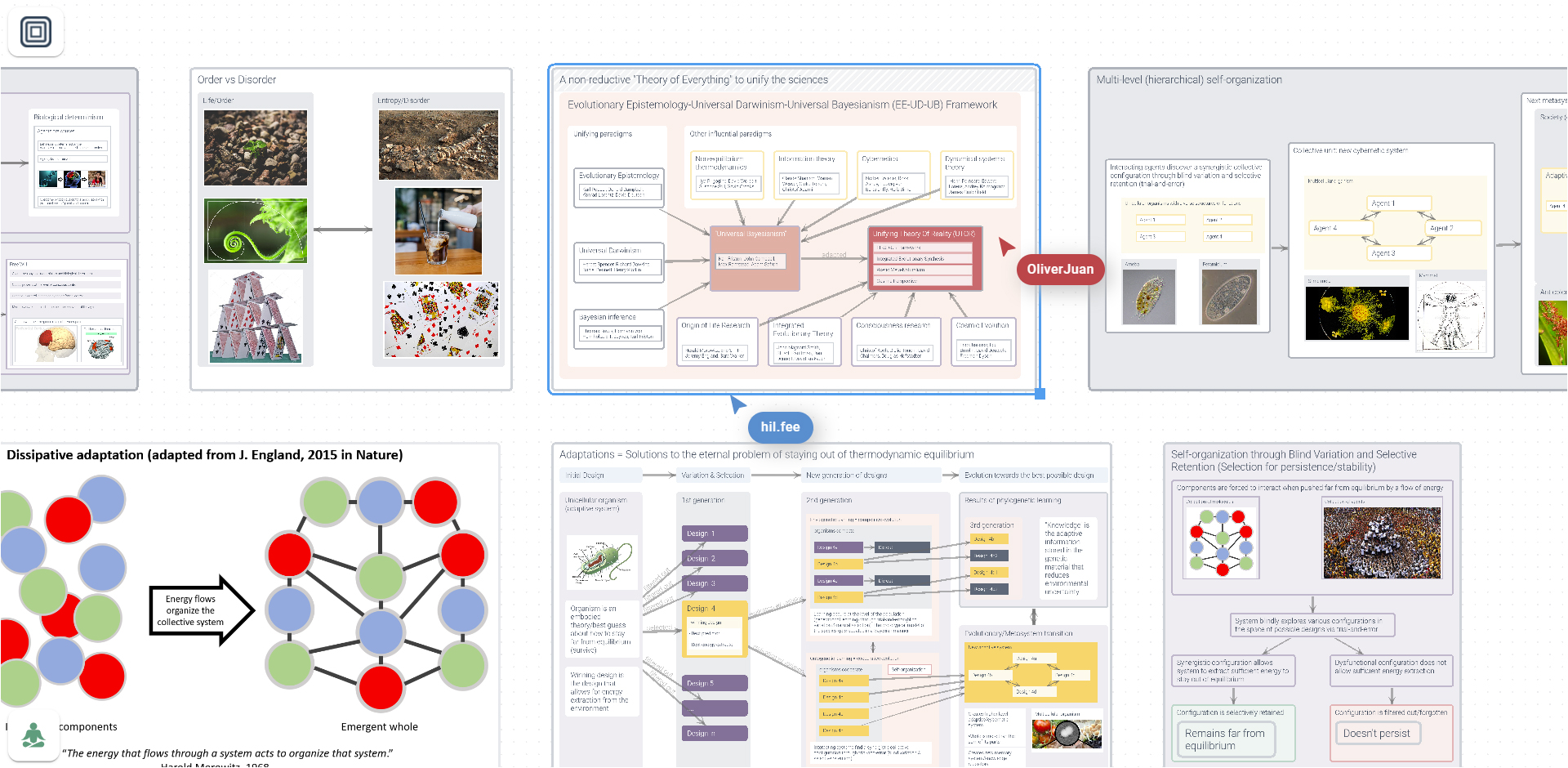 We support different permission levels (viewer, editor, admin) and allow maps to be shared publicly, privately via unlisted links, or with specific team members. This granular control enables organizations to build internal knowledge bases while selectively sharing information with external stakeholders.
Importantly, Infinity Maps can serve as an overview layer for existing systems. Users don’t need to migrate all content; instead, they can leave documents in SharePoint, Jira, or other platforms and use the map to link to these resources, creating a visual navigation system across multiple tools. The app supports copy-paste from MindManager while maintaining hierarchical structure through standard clipboard formats, making transition easier for teams ready to evolve beyond traditional mind mapping. If you are considering making the switch, try our free plan to experience the difference firsthand.
We support different permission levels (viewer, editor, admin) and allow maps to be shared publicly, privately via unlisted links, or with specific team members. This granular control enables organizations to build internal knowledge bases while selectively sharing information with external stakeholders.
Importantly, Infinity Maps can serve as an overview layer for existing systems. Users don’t need to migrate all content; instead, they can leave documents in SharePoint, Jira, or other platforms and use the map to link to these resources, creating a visual navigation system across multiple tools. The app supports copy-paste from MindManager while maintaining hierarchical structure through standard clipboard formats, making transition easier for teams ready to evolve beyond traditional mind mapping. If you are considering making the switch, try our free plan to experience the difference firsthand.
MindManager or Infinity Maps: Comparison of Methodology
| Aspect | MindManager | Infinity Maps |
|---|---|---|
| Core Approach | Multiple separate diagram types requiring paradigm choice | True paradigm fusion combining hierarchy, networks, and free placement |
| Information Structure | Predetermined diagram structures with constraints | Flexible spatial organization with deep nesting |
| Navigation Method | Switch between diagram views | Smooth zooming with double-click navigation |
| Hierarchy Depth | Limited by diagram type constraints | Over 100 levels of nesting possible |
| Scale Factor | Limited zoom capabilities | 1:1,000,000,000,000 zoom factor |
| Connection Management | All connections visible causing visual chaos | Toggleable on-demand connection display |
| Learning Philosophy | Master different diagram types | One consistent interaction model |
| Scientific Foundation | Traditional diagramming approaches | Award-winning iMapping method |
| Platform Focus | Desktop-first with web options | Web-first platform (local installation possible with lifetime license) |
| Price Range | $99-179/year | €79.99-149.99/year |
| Free Option | 30-day trial only | Permanent free plan (3 maps) |
Final Verdict
The choice between MindManager and Infinity Maps ultimately depends on whether you need a comprehensive suite of traditional diagram types or seek an evolution beyond the constraints of single-paradigm visualization. Choose MindManager if:- You need to follow established diagram conventions within the Microsoft ecosystem
- You create different types of diagrams for varied audiences
- Deep integration with Office workflows is important
- Familiar visualization formats that stakeholders immediately understand are required
- You work in enterprise environments where project management features and IT administration are essential
- Offline access is a critical requirement
- Your information fits well within traditional diagram structures
- You value the ability to switch easily between different established visualization types
- You find traditional diagramming tools too limiting for complex information
- You need to combine the benefits of mind maps, concept maps, and whiteboards without their usual drawbacks
- You work with deeply interconnected topics requiring clear hierarchy and complex relationships
- You manage research projects that outgrow standard mind maps
- You want to easily navigate both the big picture and detailed information simultaneously
- You want to avoid visual overwhelm through smart connection management
- You need infinite depth to build comprehensive personal or corporate knowledge bases
Kommentare